Beyond the Paper Form: How Multimedia and Digital Tools are Revolutionizing Informed Consent in Clinical Research
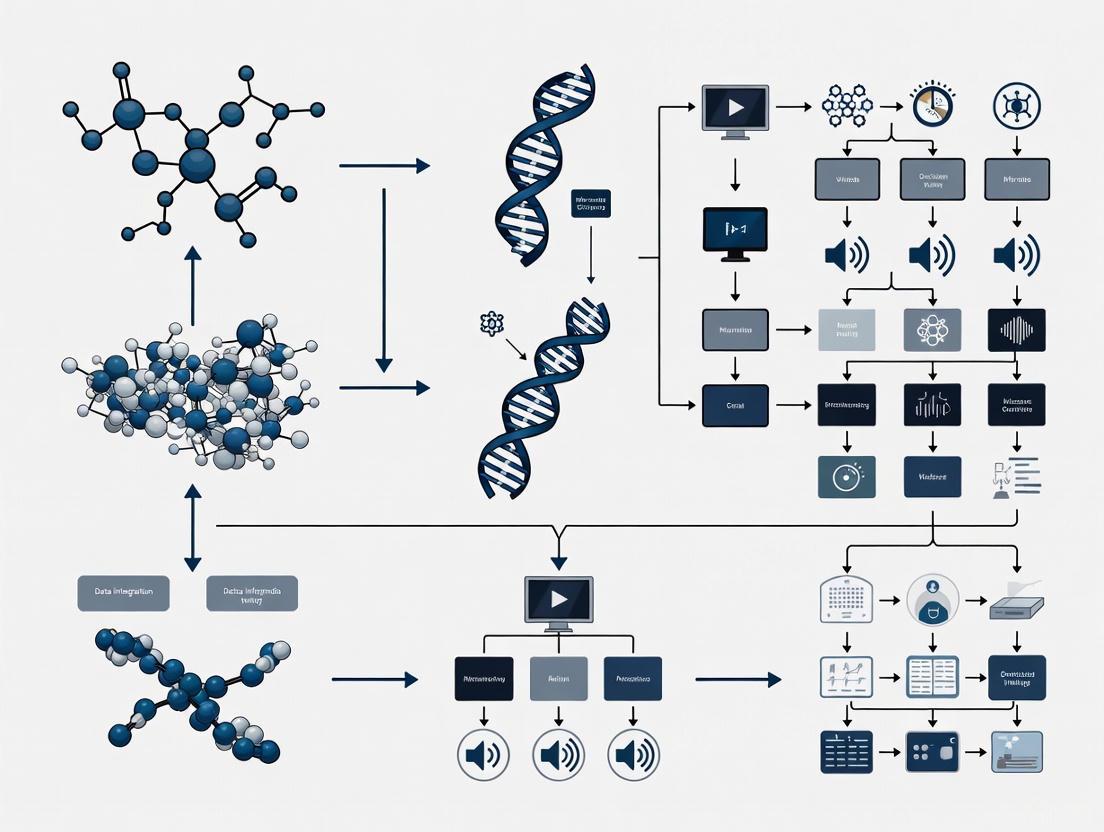
This article explores the transformative potential of multimedia and digital tools in enhancing the informed consent process for clinical research and healthcare.
Beyond the Paper Form: How Multimedia and Digital Tools are Revolutionizing Informed Consent in Clinical Research
Abstract
This article explores the transformative potential of multimedia and digital tools in enhancing the informed consent process for clinical research and healthcare. Aimed at researchers, scientists, and drug development professionals, it provides a comprehensive analysis spanning from the foundational challenges of traditional consent to the practical application of digital solutions like interactive apps, short-form videos, and AI-based tools. It synthesizes recent evidence on their efficacy in improving participant comprehension, satisfaction, and engagement, while also addressing key implementation challenges such as health literacy, accessibility, and data security. The article further offers strategic recommendations for optimizing consent forms and processes, supported by comparative data on outcomes, to guide the successful and ethical integration of these technologies into modern research protocols.
The Why: Understanding the Critical Need for Modernizing Informed Consent
Identifying the Shortfalls of Traditional Paper-Based Consent
Core Deficiencies of the Paper-Based Consent Pathway
Traditional paper-based informed consent is prone to several critical failures that can compromise patient understanding, create operational inefficiencies, and increase institutional liability.
- Comprehension and Legibility Issues: Paper forms are often written in complex language, leading to uninformed consent as patients may not read them thoroughly. Hand-written forms can be illegible, with studies finding missing patient information in 10% of forms and missing procedure details in 30% [1] [2].
- Operational Inefficiencies and Costs: The paper process wastes administrative and clinical staff time due to manual data collection and re-entry. This causes duplication of effort, massive paper and handling costs (estimated at $4-7 per form), and frequently results in lost or misfiled documents [1]. One study found that two-thirds of patients were missing signed consent forms at surgery, which delayed procedures in 14% of cases [1].
- Inadequate Standardization and Personalization: Paper forms lack standardization, which can lead to errors of omission. They are also inflexible, making it difficult to tailor information to individual patient factors such as age, education level, cultural background, or language [2] [3].
- Process Breakdowns and Liability: The physical nature of paper forms makes them susceptible to being damaged, lost, or misfiled. Inadequate documentation of the consent discussion can lead to greater liability exposure and potential litigation [1] [4].
Quantitative Analysis: Paper vs. Digital Consent
The following tables summarize key quantitative findings from research comparing paper-based and digital consent pathways.
Table 1: Operational and Cost Impact of Paper-Based Consent
| Shortfall Metric | Quantitative Finding | Source / Context |
|---|---|---|
| Missing Consent Forms | 66% of patients at surgery | Study cited by IngeniousMed [1] |
| Procedure Delays | 14% of total surgical cases | Study cited by IngeniousMed [1] |
| Handling Cost per Form | $4 - $7 (approx. £4-7) | IngeniousMed & UK NHS micro-costing study [1] [4] |
| Printing Cost per Form | ~$1 (approx. £0.90) | IngeniousMed & UK NHS micro-costing study [1] [4] |
| Forms with Missing Details | 30% missing procedure details | Study on hand-written surgical consent forms [1] |
Table 2: Comparative Workflow Analysis
| Process Step | Paper-Based Pathway | Digital Pathway |
|---|---|---|
| Form Creation & Access | Physical printing, risk of using outdated versions [1] | Dynamic, version-controlled templates accessible on any device [1] |
| Form Completion | Hand-written, prone to illegibility and omission [4] | Automated data population; standardized, legible data fields [1] |
| Storage & Transportation | Physical transportation to and from storage is required [4] | Instant, secure digital storage; no physical transport needed [4] |
| Patient Review | Requires physical presence; limited access to supplementary resources [1] | Can be completed remotely; can link to additional learning resources [1] [4] |
| Audit & Compliance | Manual, time-consuming retrieval and checking [1] | Integrated analytics and easy auditing capabilities [1] |
Experimental Protocol: Micro-Costing a Consent Pathway
Aim: To quantitatively compare the resource utilization and costs associated with paper-based versus digital consent pathways in a clinical setting.
Methodology (based on UK NHS micro-costing study [4]):
- Pathway Mapping: Model the process steps for both paper and digital consent using a decision-tree structure.
- Paper Pathway: Printing -> Consent (pre-surgery) -> Storage -> Consent (day of surgery) -> Pre-op Check.
- Digital Pathway: Consent (pre-surgery) -> Consent (day of surgery) -> Pre-op Check.
- Cost Identification: Identify all costs associated with each process step. For paper, this includes the costs of printing, physical storage, and transportation of forms. For digital, this includes platform licensing fees.
- Time Measurement: Measure the time spent by clinical and administrative staff on each step of the consent process. Consultation duration is a key cost driver.
- Data Collection: Collect data from a representative surgical department (e.g., 110 consent procedures per month) over a defined period.
- Analysis: Calculate the total cost per consent episode for each pathway. Conduct sensitivity analyses to identify the most influential cost drivers (e.g., consultation time, form loss rate).
Digital Consent Workflow
The following diagram illustrates the streamlined workflow of a digital consent platform compared to the traditional paper-based process, highlighting the reduction in redundant steps.
Technical Support & Troubleshooting Guide
FAQ 1: What is the most significant operational shortfall of paper consent? Answer: The high rate of missing or incomplete forms is a critical failure. Evidence shows that for two-thirds of patients, the signed paper consent form is missing at the time of surgery, directly leading to delayed procedures in 14% of cases [1]. This disrupts surgical schedules, wastes valuable resources, and causes patient stress.
FAQ 2: How does paper consent fail to ensure genuine patient understanding? Answer: It fails in two key ways:
- Comprehension Barrier: Forms often use complex clinical jargon and are not designed with health literacy principles in mind, making them difficult for patients to understand [2] [3].
- Lack of Personalization: Paper is a static, one-size-fits-all medium. It cannot easily adapt to provide information in different languages, accommodate varying health literacy levels, or highlight risks most relevant to a patient's specific co-morbid conditions [2].
FAQ 3: What are the hidden costs of a paper-based system? Answer: Beyond obvious printing costs (~$1 per form), the largest expenses are associated with staff time for handling ($4-7 per form) and managing the consequences of failure, such as rescheduling surgeries due to lost forms. A UK NHS study found the total cost per consent episode was approximately £0.90 more for paper than for digital [1] [4].
FAQ 4: How does paper consent increase legal and compliance risks? Answer: Illegible handwriting, missing information, and the inability to prove that a proper discussion took place increase liability exposure [1]. In contrast, digital platforms can provide an audit trail and consistently capture what was explained to the patient, offering stronger legal protection. One analysis suggested preventing a single litigation claim could save a health system over £200,000 [4].
The Scientist's Toolkit: Research Reagent Solutions
| Item / Solution | Function in Consent Research |
|---|---|
| eConsent Platform | A software solution that digitizes the entire consent lifecycle, from dynamic form generation and remote signing to seamless integration with Electronic Medical Records (EMRs) for secure storage and auditing [1]. |
| Health Literacy Assessment Tools | Validated instruments (e.g., readability scores, patient comprehension questionnaires) used to evaluate and improve the clarity and accessibility of consent form content for diverse populations [3]. |
| Micro-Costing Framework | A research methodology to meticulously identify, measure, and value all resources (e.g., staff time, materials) used in the paper and digital consent pathways for a robust economic comparison [4]. |
| Web Accessibility Evaluation Tools | Software (e.g., axe DevTools, WAVE) that automatically checks digital consent forms against standards like WCAG to ensure sufficient color contrast and usability for people with visual impairments [5] [6]. |
| Usability Testing Protocol | A structured method involving participants from the target study population to test draft consent forms and processes, identifying points of confusion and ensuring materials are user-friendly before full deployment [3]. |
Frequently Asked Questions & Troubleshooting Guides
This technical support center addresses common challenges researchers face when developing and evaluating multimedia tools for enhancing informed consent. The guidance is framed within the context of a broader thesis on leveraging technology to bridge health literacy gaps in clinical research.
How can I quickly assess and improve the readability of my consent forms?
The Challenge: Consent forms are consistently written at reading levels that exceed the average patient's comprehension. A 2024 study found that surgical consent forms from 15 academic medical centers had a median Flesch-Kincaid Reading Level of 13.9 (college freshman level), while the average American reads at an 8th-grade level [7].
The Solution: Implement a structured AI-human expert collaborative approach to simplify language while preserving clinical and legal accuracy [7].
Experimental Protocol:
- Step 1: Baseline Assessment. Use readability metrics (e.g., Flesch-Kincaid Grade Level, Flesch Reading Ease) to quantify the problem.
- Step 2: AI Facilitation. Process the text through a Large Language Model (LLM) like GPT-4 with prompts focused on simplifying language, reducing sentence length, and minimizing passive voice.
- Step 3: Expert Validation. Have both medical content experts and a legal professional (e.g., a malpractice defense attorney) independently review the simplified form to ensure clinical and legal sufficiency is maintained [7].
- Step 4: Final Evaluation. Re-calculate readability metrics to confirm improvement. The aforementioned study achieved a significant reduction to an 8.9 grade level (P=0.004) [7].
Quantitative Results of AI-Human Collaborative Simplification:
| Readability Metric | Before Simplification | After Simplification | P-value |
|---|---|---|---|
| Flesch-Kincaid Grade Level | 13.9 (College Freshman) | 8.9 (8th Grade) | P = 0.004 |
| Average Reading Time | 3.26 minutes | 2.42 minutes | P < 0.001 |
| Percentage of Passive Sentences | 38.4% | 20.0% | P = 0.024 |
| Word Rarity (Frequency Score) | 2845 | 1328 | P < 0.001 |
Beyond readability, what other factors influence participant preference for consent materials?
The Challenge: Readability is crucial but not the sole determinant of an effective consent process. Prospective participants have varying preferences based on content, demographics, and information needs [8].
The Solution: Adopt a human-centered design approach that goes beyond readability scores to evaluate how consent materials elicit informed questions and cater to subgroup preferences [8].
Experimental Protocol:
- Step 1: Snippet Creation. Break down the consent form into logical, paragraph-length sections ("snippets"). For each, create two versions: the original IRB-approved text and a modified version optimized for readability.
- Step 2: Participant Survey. Recruit eligible participants and present them with paired snippets (original vs. modified), asking for their preference.
- Step 3: Quantitative & Qualitative Analysis. Analyze preferences quantitatively and collect open-ended feedback. Key findings from a 2025 study include [8]:
- Participants significantly preferred shorter text snippets, especially for sections explaining study risks.
- Older participants were 1.95 times more likely to prefer the original, more detailed text (P=0.004).
- The modified snippets often elicited new, informed questions not addressed in the original material.
Key Insight: The effectiveness of consent communication can be measured by its likelihood to elicit "informed questions" from potential participants, a metric that goes beyond simple comprehension checks [8].
How do I address the unique ethical and transparency risks of digital health technologies in consent?
The Challenge: Traditional consent forms fail to adequately address risks specific to digital health research (DHT), such as data privacy, third-party sharing, and commercial reuse. A 2025 review of 25 real-world digital health consent forms found that none fully adhered to required or recommended ethical elements, with the highest completeness for required attributes reaching only 73.5% [9].
The Solution: Implement a comprehensive ethical consent framework tailored to DHT, expanding on guidance from bodies like the NIH Office of Science Policy [9].
Experimental Protocol for Framework Adherence:
- Step 1: Framework Development. Create a structured framework of consent attributes. The referenced study developed a framework with 63 attributes and 93 sub-attributes across four domains: Consent, Grantee (Researcher) Permissions, Grantee Obligations, and Technology [9].
- Step 2: Gap Analysis. Systematically review your consent form against the framework to identify missing elements. Pay special attention to technology-specific clauses.
- Step 3: Incorporate Critical Elements. Ensure the form includes often-missing but ethically salient elements, such as [9]:
- Commercial Profit Sharing: Will participants share in profits from commercialized outcomes?
- Study Information Disclosure: A clear plan for disclosing study information updates.
- During-study Result Sharing: How and when interim results will be shared with participants.
- Data Removal Requests: The process for requesting data deletion.
What is the role of multimedia and interactivity in improving comprehension?
The Challenge Text-heavy, static consent forms can overwhelm participants and fail to facilitate true understanding.
The Solution: Leverage enhanced eConsent tools that incorporate interactive elements, which have been shown to improve understanding and confidence in study decisions [10].
Experimental Protocol:
- Step 1: Tool Selection. Utilize eConsent platforms that support embedded videos, interactive e-calendars for visit schedules, and real-time comprehension checks.
- Step 2: Comparative Testing. Conduct pilot studies comparing participant comprehension and satisfaction between text-only eConsent and multimedia-enhanced eConsent approaches.
- Step 3: Measure Outcomes. Key results from a pilot study showed that multimedia-enhanced eConsent significantly improved participant understanding and engagement. These tools help transform the consent process from a one-time transaction into an ongoing, technology-assisted conversation [10].
The Scientist's Toolkit: Research Reagent Solutions
The following table details key resources and methodologies for developing and testing enhanced informed consent processes.
| Research Reagent / Solution | Function & Explanation |
|---|---|
| Readability Analysis Software | Tools like online readability calculators quantitatively assess text difficulty using metrics such as Flesch-Kincaid Grade Level and Flesch Reading Ease, providing a baseline for simplification efforts [8]. |
| Large Language Models (LLMs) | AI models such as GPT-4 can efficiently simplify complex consent language, reduce word count, and restructure passive sentences, serving as a powerful first-pass tool in an AI-human collaborative framework [7]. |
| Validated Consent Evaluation Rubric | Structured rubrics, such as the 8-item tool used to score AI-generated consent forms perfectly (20/20), provide a systematic method for evaluating the completeness and quality of consent documents [7]. |
| Enhanced eConsent Platforms | Digital platforms that host interactive consent materials, including videos, quizzes, and clickable glossaries, to improve participant comprehension and engagement through multimedia learning [10]. |
| Structured Ethical Framework | A comprehensive checklist of consent attributes (e.g., covering data storage, third-party sharing, profit models) ensures all ethical risks, especially those related to digital health technologies, are transparently communicated [9]. |
| Health Literacy & Digital Literacy Support | Training materials and dedicated support for participants are essential, as modern consent now requires both health and digital literacy to navigate technologies and understand digital formats [10]. |
Experimental Workflow for Consent Form Optimization
The diagram below outlines a logical workflow for optimizing informed consent forms, integrating AI simplification with rigorous expert validation.
Troubleshooting Guide: Time Constraint Challenges
Frequently Asked Questions
Q1: Our research team experiences significant time pressure during participant enrollment and the informed consent process. What are the core components of this time constraint? Time constraints in a project environment consist of several key components that create pressure on the research timeline [11]:
- Project Timeline: The overall timeframe for a study, including start date, end date, and critical milestones such as enrollment targets.
- Work Hours Allocation: The number of hours clinicians and staff can dedicate to consent-related tasks amidst other clinical duties.
- Internal Calendars: Organizational schedules, holidays, and staff availability that can limit the time available for research activities.
- Planning and Strategy Time: Sufficient time must be allocated for study planning and protocol development; rushed planning often leads to oversights and greater delays later [11].
Q2: Are there different types of time constraints we should plan for? Yes, time constraints generally fall into two categories, each with different origins [11]:
| Constraint Type | Description | Examples in Clinical Research |
|---|---|---|
| Internal Constraints | Originate from within the organization or team. | Limited staff availability, competing clinical duties, institutional review board (IRB) submission schedules, internal grant deadlines. |
| External Constraints | Originate from outside the organization and are often beyond direct control. | Funding agency deadlines, regulatory submission timelines, contractually obligated project milestones, sponsor-imposed enrollment deadlines. |
Q3: What practical strategies can we use to manage these time constraints effectively? Managing time constraints requires a proactive approach [11]:
- Spend Time on Project Planning: Invest adequate time upfront in creating a comprehensive research plan with clear goals and realistic time estimates to prevent backtracking and wasted effort.
- Create Realistic Schedules: Develop schedules that account for potential delays and avoid over-optimism. Use historical data from similar studies to inform your timeline.
- Track Time: Actively monitor the time spent on research tasks against the planned schedule. Small delays can accumulate and impact later stages.
- Delegate and Empower Team Members: Delegate tasks to qualified team members to avoid bottlenecks and boost morale.
Q4: Our clinical staff reports high levels of strain. When do these strain episodes typically occur? Research shows that strain is not constant and varies across different phases of clinical work and among professional roles. A study in operating rooms found that strain levels significantly vary across the phases of an operation and between different professional groups (e.g., surgeons, anesthesiologists, nurses) [12]. For instance, surgeons often report more strain during the first and middle thirds of an operation, while other groups experience different patterns [12]. This suggests that high-strain phases requiring intense concentration are not uniform for all team members.
Q5: Can technology help alleviate time pressures in the informed consent process? Yes, digital tools show significant promise. Digitalizing the informed consent process can enhance patients' understanding of procedures, risks, and benefits [2]. For healthcare professionals, time savings are a major benefit of these digital systems [2]. Tools like the Virtual Multimedia Interactive Informed Consent (VIC) use iPads with a multimedia library to explain risks and benefits, incorporating features like a 'teach-back' process to enhance patient comprehension and potentially streamline the workflow for staff [13].
Experimental Protocols and Workflows
Quantitative Data on Operational Strain
The following data is derived from a study analyzing 693 guided recalls from operating room team members after 113 operations, providing a quantitative basis for understanding strain patterns [12].
Table 1: Mean Duration of Operations by Surgery Type [12]
| Surgery Type | Number of Operations | Mean Duration (Minutes) | Standard Deviation |
|---|---|---|---|
| Pediatric | 23 | 49.09 | 40.34 |
| Gynecology | 23 | 109.43 | 92.31 |
| General Surgery | 22 | 82.64 | 59.98 |
| Trauma/Emergency | 23 | 82.30 | 44.19 |
| Vascular | 22 | 68.14 | 44.03 |
| Total | 113 | 78.37 | 61.00 |
Table 2: Strain Variation Across Surgical Phases and Professions [12] Statistical analysis using General Linear Modeling (GLM) revealed:
| Factor | Statistical Significance | Findings |
|---|---|---|
| Variation across surgical phases | Quadratic (F=47.85, p<0.001) and Cubic (F=8.94, p=0.003) effects | Strain is not constant; it fluctuates in a predictable pattern across phases (before incision, first, middle, and last third of surgery). |
| Variation across professional groups | Linear (F=4.14, p=0.001) and Quadratic (F=14.28, p<0.001) effects | Different roles (e.g., surgeons vs. anesthesiologists) experience strain differently throughout an operation. |
| Variation across surgery types | Cubic effects (F=4.92, p=0.001) | The pattern of strain also depends on the type of surgery being performed. |
Methodology: Guided Recall for Strain Assessment
This protocol is adapted from a study on episodic strain in clinical settings [12].
- Objective: To assess the experience of strain from the perspective of clinical team members in relation to procedural phases.
- Design: Prospective, observational, guided recall study immediately following clinical procedures.
- Data Collection:
- Tool: A guided recall method integrated into a short questionnaire.
- Procedure: Immediately after a procedure, each team member individually draws a line on a graph representing the strain moments they experienced. The x-axis represents the procedure timeline (from pre-incision to end), and the y-axis represents the strain level.
- Qualitative Data: Participants describe the nature of each tense moment.
- Data Preparation:
- Translate drawings into numerical values based on the peak and slope of the curve.
- Define procedural phases (e.g., before incision, first third, middle third, last third).
- For each participant, calculate the total number of strain episodes per phase.
- Statistical Analysis: Analyze data using General Linear Modeling (GLM) with repeated measures to compare strain across phases, professional groups, and procedure types.
Workflow and System Diagrams
Five Steps to Manage Constraints
Digital Consent Alleviates Strain
The Scientist's Toolkit: Research Reagent Solutions
Table 3: Essential Materials for Research on Time Constraints and Digital Consent
| Item | Function/Description | Application in Research |
|---|---|---|
| Guided Recall Protocol | A method where participants retrospectively chart their strain levels on a timeline after a task. | Quantifying temporal patterns of strain experienced by clinicians and staff during complex procedures [12]. |
| Virtual Multimedia Interactive Informed Consent (VIC) | An mHealth tool using iPads and a multimedia library to explain risks, benefits, and alternatives of a procedure. | Serves as both an intervention to streamline the consent process and a tool to study improvements in patient comprehension and workflow efficiency [13]. |
| General Linear Modeling (GLM) | A statistical framework for modeling the relationship between a dependent variable and one or more independent variables. | Analyzing how strain (dependent variable) varies across procedural phases, professional groups, and surgery types (independent variables) [12]. |
| Semi-Structured Interview Guides | A qualitative research tool with a flexible set of open-ended questions to explore a topic. | Gathering in-depth, contextual data from clinicians about triggers and experiences of strain moments that surveys may not capture [12]. |
| Throughput Accounting Metrics | An alternative accounting methodology focusing on Throughput, Investment, and Operating Expense. | Measuring the performance and financial impact of interventions designed to alleviate time constraints, focusing on increasing throughput rather than just cutting costs [14]. |
Technical Support Center: Troubleshooting Multimedia Consent Tools
Frequently Asked Questions (FAQs)
Q1: Our participants are showing poor comprehension of complex concepts like randomization. How can multimedia tools help? A: Research demonstrates that participants often score lowest on questions about randomization [15]. Multimedia tools address this by using animated videos and interactive diagrams to visually explain the process of random group assignment. This transforms an abstract concept into a tangible process participants can see and understand. Studies show that presenting information via animated video is significantly more effective than plain text or audio narration alone [16].
Q2: We work with low-literacy populations. Can digital consent tools be effective? A: Yes. International guidelines specifically recommend alternative consent procedures for low-literacy settings where written information does not guarantee comprehension [15]. A pilot study of a multimedia tool in The Gambia, where adult literacy is less than 30%, found that 70% of participants reported the tool was clear and easy to understand. Furthermore, participants' comprehension scores for "recall" and "understanding" showed statistically significant improvements between initial and follow-up visits [15].
Q3: Are researchers and Institutional Review Boards (IRBs) receptive to replacing paper documents with digital systems? A: While researchers and IRB members find digital systems valuable for improving understanding and reducing patient stress, they often have concerns. These include how to review the system for potential biases in presentation and the legal issues associated with replacing the paper document entirely [17]. A phased approach, using the digital tool to augment rather than immediately replace the traditional process, can help build institutional comfort.
Q4: Does using a more engaging, multimedia format unduly influence or coerce participants into consenting? A: This is a key ethical consideration. The available research from randomized controlled trials suggests that enhancing the consent process to provide more useful information for decision-making does not affect the clinical trial entry decision [17]. The goal is to facilitate genuine understanding, not to persuade.
Troubleshooting Common Technical and Process Issues
Issue: Participant is anxious or struggles to use the tablet interface.
- Diagnosis: Human factors and accessibility challenge.
- Solution:
- Emppathize and assure: Position yourself as an advocate. Use phrases like, "I understand this can be frustrating, let's work through this together" [18].
- Simplify the interface: Ensure the application offers a simple, linear navigation path for first-time users.
- Provide support: Be present to offer assistance, but allow the participant to control the device to maintain their sense of autonomy [17].
Issue: Unable to verify if a participant has understood the key study information.
- Diagnosis: Lack of integrated comprehension assessment.
- Solution:
- Implement in-app quizzes: Use automated, brief quizzes on crucial domains like risks and voluntary participation to gauge understanding [16].
- Employ the teach-back method: Ask participants to explain the study in their own words. The multimedia tool can facilitate this by providing clear, consistent information for them to summarize [16].
- Adopt a multi-step approach: Combine the multimedia presentation with a verbal discussion to reinforce key points, a method shown to be particularly useful for elderly or cognitively impaired participants [17].
Issue: The consent process still takes too long, creating bottlenecks in recruitment.
- Diagnosis: Inefficient process flow.
- Solution:
- Leverage self-paced learning: Allow participants to review all or parts of the consent material independently on a tablet before the formal consent discussion. A randomized controlled trial found that users of a multimedia tool reported a shorter perceived time to complete the process [16].
- Use a modular design: Structure the information in the tool hierarchically, allowing participants to dive deeper into complex topics (like side effects) while skimming more straightforward ones [17]. This is more efficient than a linear, paper-based reading.
Experimental Protocols & Research Data
The table below synthesizes quantitative data from pivotal studies evaluating multimedia informed consent tools against traditional paper-based methods.
Table 1: Comparison of Multimedia vs. Paper-Based Informed Consent Processes
| Study & Design | Participant Group | Key Comprehension Findings | Satisfaction & Usability Findings |
|---|---|---|---|
| RCT of VIC Tool [16]\n(Randomized Controlled Trial) | 50 participants in a real-world biorepository study (n=25 VIC, n=25 paper). | Both groups showed high comprehension. | - Higher satisfaction in VIC group.\n- Higher perceived ease of use with VIC.\n- Shorter perceived time to complete consent with VIC. |
| Pilot of Multimedia Tool [15]\n(Pre-Post Pilot Study) | Low-literacy participants in The Gambia. | Statistically significant increases in mean scores for 'recall' (F(1,41)=25.38, p<0.00001) and 'understanding' (F(1,41)=31.61, p<0.00001) between first and second visits. | 70% of participants reported the multimedia tool was clear and easy to understand. |
| Needs Assessment [17]\n(Focus Groups & Interviews) | Patients with depression, breast cancer, or schizophrenia; researchers; IRB members. | Patients felt multimedia (video) made information more understandable. | Patients reported the process would be less stressful and provide a greater sense of control when using a self-paced multimedia system. |
Detailed Methodology: Randomized Controlled Trial of a Multimedia Tool (VIC)
Objective: To evaluate the feasibility of the Virtual Multimedia Interactive Informed Consent (VIC) tool and compare it with traditional paper-based methods in an ongoing, real-world study (GenEx 2.0) [16].
Tool Design: The VIC tool was developed based on user-centered design and Mayer’s cognitive theory of multimedia learning. It featured:
- A comprehensive multimedia library (video clips, animations, presentations).
- Virtual coaching with automated text-to-speech.
- Interactive elements allowing participants to navigate sections freely.
- Automated quizzes to assess comprehension.
- Electronic signature capabilities [16].
Participant Recruitment:
- Source: Recruited from the Winchester Chest Clinic and surrounding community.
- Eligibility: Adults >21 years, English-speaking, providing an email, and willing to use an iPad. Computer literacy was not required [16].
Randomization Protocol:
- Eligible participants were randomized 1:1 to the VIC (intervention) or paper (control) arm.
- A computer algorithm using the minimization method was used to ensure balance on demographics (gender, race, education, etc.) due to the small sample size [16].
Outcome Measures:
- Primary: Comprehension of study information.
- Secondary: Participant satisfaction, perceived ease of use, ability to complete consent independently, and perceived time to complete the process. Outcomes were collected via coordinator-administered questionnaires post-consent [16].
Visualizing the Workflow: From Development to Implementation
The following diagram illustrates the end-to-end process of developing, testing, and implementing a multimedia consent tool, based on the methodologies cited.
Multimedia consent tool development and implementation workflow.
The Scientist's Toolkit: Essential Research Reagents & Materials
Table 2: Key Research Reagents and Materials for Multimedia Consent Research
| Item | Function in Research |
|---|---|
| Tablet Computer (e.g., iPad) | The primary hardware for delivering the interactive consent application. Allows for self-paced review and can be used in various clinical settings [16]. |
| Multimedia Authoring Software | Software used to create and integrate multimedia elements (video, animations, audio) into the consent tool, based on principles of cognitive theory [16]. |
| Digital Video Recording Equipment | Used to film role-played scenarios that explain study procedures, risks, and benefits in a relatable, context-specific manner [15]. |
| Audio Recording & Translation Files | Professionally translated and recorded audio narrations in local languages are crucial for low-literacy and non-English speaking populations [15]. |
| Randomization Software/Algorithm | Essential for conducting rigorous RCTs. Minimization algorithms can balance groups on key demographic variables in smaller studies [16]. |
| Validated Digital Questionnaire | A digitized audio questionnaire can be used to assess participant comprehension, especially in low-literacy settings where written tests are not feasible [15]. |
| Web-Based Coaching/Avatar System | A virtual coach or avatar that guides participants through the consent form using text-to-speech, improving engagement and understanding [16]. |
| Electronic Signature System | Allows for seamless and secure documentation of consent within the digital tool, with potential for integration into electronic health records [16]. |
Core Technical Specifications for Accessible Design
Adherence to technical standards is critical for ensuring tools are usable by all participants, including those with visual impairments.
Table 3: WCAG 2.2 Level AA Color Contrast Requirements
| Element Type | Minimum Contrast Ratio | Example Requirement |
|---|---|---|
| Normal Text | 4.5:1 | Text with color #666 on a white (#FFF) background fails (5.7:1), while #333 passes (12.6:1) [5] [19]. |
| Large Text (≥18.66px or ≥14pt & Bold) | 3:1 | 18pt text in #000 on a #777 background has a 4.6:1 ratio, which passes the enhanced 4.5:1 requirement for large text [5] [20]. |
| User Interface Components | 3:1 | Borders, buttons, and other visual indicators required to understand a component must meet this minimum [20]. |
| Graphics & Charts | 3:1 | Essential for understanding conveyed by these non-text elements, such as the colors used in a flowchart [20]. |
Logic for testing text contrast against WCAG Level AA requirements.
The How: A Practical Guide to Implementing Multimedia Consent Tools
Troubleshooting Guides and FAQs for Digital Informed Consent Platforms
This technical support center addresses common issues researchers and professionals might encounter when implementing multimedia tools for informed consent in clinical and public health research.
Frequently Asked Questions (FAQs)
Q1: Our participants have varying levels of digital literacy. How can we ensure our digital consent tool is accessible to everyone? A1: Implement a hybrid consent approach. Offer both digital and paper-based options, allowing participants to choose based on their comfort and accessibility [21]. Furthermore, ensure your digital platform adheres to accessibility standards, such as providing high color contrast (a minimum ratio of 4.5:1 for standard text) and text-to-speech functionality to support those with visual impairments or lower literacy levels [22] [16].
Q2: We are using an eConsent app, but our post-test comprehension scores are lower than expected. What can we do? A2: Comprehension is multi-factorial. Consider enhancing your platform with two key features derived from successful trials:
- Integrated Quizzes and Teach-Back: Incorporate automated, low-stakes quizzes throughout the consent process to reinforce understanding and identify areas that need more clarification [16].
- Multimedia Explanations: Replace or supplement dense text with animated videos. Studies show that viewers retain 95% of a message from video compared to 10% from text, making complex topics like randomization or data handling easier to grasp [23].
Q3: Our ethics committee has concerns about replacing the paper consent form. How should we address this? A3: Engage with your ethics board early in the process. Acknowledge their valid concerns, which often center on legal acceptance, potential biases in multimedia presentation, and ensuring participant comprehension [17]. You can present evidence from randomized controlled trials that show digital tools can lead to high comprehension and greater participant satisfaction [16]. Proposing a pilot study comparing digital and paper methods can also provide local data to alleviate concerns.
Q4: Is it feasible to obtain valid informed consent remotely for a fully decentralized trial? A4: Yes, with careful planning. The FDA and EMA define electronic informed consent (eConsent) as the use of electronic systems to convey information and obtain consent, which can be done remotely [21]. The key is to maintain interaction. For fully remote processes, schedule a video consultation where the research team can discuss the trial, answer questions, and ensure the participant understands the material, mirroring the traditional face-to-face interaction [21].
Technical Troubleshooting Guide
| Issue | Possible Cause | Solution |
|---|---|---|
| Participants report that the text is difficult to read on screen. | Insufficient color contrast between text and background. | Use a color contrast checker to ensure a ratio of at least 4.5:1 for standard text and 3:1 for large-scale text. Use high-contrast color pairs like dark gray (#333) on white (#FFF) [22]. |
| Low participation rates for a digitally presented consent. | The tool may be perceived as impersonal or may skew towards digitally literate users only. | Adopt a participant-centered design. Use a hybrid approach combining digital tools with personal interaction [21] [24]. Ensure the platform is available in multiple languages and uses a simple, intuitive interface [24]. |
| Difficulty tracking participant understanding during the remote consent process. | The digital process lacks mechanisms to assess comprehension in real-time. | Utilize built-in features like interactive quizzes and the "teach-back" method, where participants explain concepts in their own words, to gauge and improve understanding dynamically [16]. |
| Legal and administrative concerns about electronic signatures and audit trails. | Uncertainty about regulatory acceptance of digital records. | Use an eConsent system that automatically records a secure, time-stamped audit trail of the participant's interaction with the consent materials, providing a robust documentation chain for inspectors and sponsors [21]. |
Experimental Protocols and Data from Key Studies
The following table summarizes quantitative data from seminal studies investigating digital informed consent tools, providing a benchmark for your own experiments.
Table 1: Quantitative Outcomes from Digital Consent Feasibility Studies
| Study & Digital Tool | Design | Key Quantitative Findings |
|---|---|---|
| Virtual Multimedia Interactive Informed Consent (VIC) [16] | Randomized Controlled Trial (N=50) | • High Comprehension: Both VIC and paper groups had high comprehension scores.• Higher Satisfaction: VIC participants reported greater satisfaction.• Perceived Efficiency: VIC users reported shorter perceived time to complete consent and a higher ability to work independently. |
| Digital Informed Consent App [24] | Mixed-Method Feasibility Study (N=30) | • Usage Time: Participants used the app for 4-15 minutes to provide consent.• Positive Usability: Overall, the app was found to be well-designed and easy to use.• Information Retention: While all participants remembered various study aspects, fewer than half answered all retention questions satisfactorily. |
| Personalized Electronic Informed Consent (eConsent) [21] | Review of Empirical Evidence | • Improved Understanding: Interactive eConsent with hyperlinks to additional content led to higher understanding of information after a 6-month follow-up compared to a standard, non-customizable model.• Administrative Efficiency: eConsent supports more efficient documenting and oversight through automatic audit trails. |
Detailed Methodology: VIC Randomized Controlled Trial
Objective: To evaluate the feasibility of the Virtual Multimedia Interactive Informed Consent (VIC) tool and compare it with traditional paper-based methods in a real-world research setting [16].
1. Trial Design
- A randomized controlled trial was embedded within an ongoing biorepository study (GenEx 2.0).
- Participants were allocated to either the VIC tool on an iPad (intervention arm) or the standard paper consent (control arm) in a 1:1 ratio.
- A computer algorithm using the minimization method ensured balance on demographic characteristics like gender, race, and education.
- The primary outcomes were comprehension and satisfaction, assessed via coordinator-administered questionnaires immediately after the consent process [16].
2. Participants
- Recruitment: Participants with lung disease were recruited from a chest clinic, and healthy individuals were recruited from the community via fliers.
- Inclusion Criteria: Participants were eligible if they spoke English, were older than 21, provided an email address, and were willing to use an iPad. Computer literacy was not required.
- Sample Size: A total of 50 participants were enrolled (25 per arm) [16].
3. Intervention: The VIC Tool
- Theoretical Framework: The tool was designed based on Mayer's cognitive theory of multimedia learning.
- Key Features:
- A virtual coach with text-to-speech translation.
- A comprehensive multimedia library (video clips, animations) to explain risks, benefits, and procedures.
- A non-linear, hierarchical structure allowing participants to navigate sections and drill down for more information.
- Automated quizzes to assess comprehension.
- Electronic signature and secure data recording [16].
4. Data Collection
- Following the consent process and parent study procedures, participants were surveyed about their comprehension and satisfaction.
- The study specifically measured satisfaction, perceived ease of use, and perceived time to complete the process [16].
Visualization of a Digital Informed Consent Implementation Workflow
The diagram below outlines the key phases and decision points for implementing a digital informed consent solution in a research setting.
Research Reagent Solutions: Essential Components for Digital Consent
This table details the key "research reagents"—the core components and platforms—required to develop and implement an effective digital informed consent system.
Table 2: Essential Materials and Tools for Digital Informed Consent Research
| Item | Function in the Research Process |
|---|---|
| Multimedia Learning Theory Framework | Provides the foundational cognitive principles for designing content that minimizes extraneous load and maximizes understanding, as exemplified by Mayer's theory [16]. |
| User-Centered Design (UCD) Protocol | A methodology for involving end-users (patients and researchers) throughout the development process to ensure the final tool is usable, accessible, and meets real-world needs [16] [24]. |
| Randomized Controlled Trial (RCT) Design | The gold-standard methodology for empirically comparing the efficacy (comprehension, satisfaction) of a new digital consent tool against traditional paper-based methods [16]. |
| Interactive eConsent Platform | A configurable digital system (e.g., web-based app) that supports multimedia integration, interactive quizzes, electronic signatures, and secure audit trails [21] [16]. |
| Accessibility and Contrast Checking Tools | Software tools that validate that color contrast ratios meet WCAG guidelines (e.g., 4.5:1 for text), ensuring the tool is accessible to users with visual impairments [22]. |
| Hybrid Consent Protocol | A pre-defined operational plan for offering both digital and paper-based consent options to prevent the exclusion of participants with low digital literacy or specific preferences [21]. |
The integration of multimedia learning principles into research tools, particularly those supporting the informed consent process, represents a significant advancement in ethical research practice. Mayer's Cognitive Theory of Multimedia Learning provides an evidence-based framework for designing materials that promote genuine understanding rather than mere compliance [25]. This approach is especially valuable in clinical and research settings where participant comprehension is ethically paramount yet often inadequately achieved through traditional paper-based methods [17] [16].
This technical support center applies Mayer's principles to create effective troubleshooting guides and FAQs specifically designed for researchers developing multimedia tools for informed consent. By structuring support materials according to how people actually process information, we can enhance both the development process and the ultimate effectiveness of these critical research tools.
Core Principles of Mayer's Theory: A Research Implementation Framework
Mayer's theory rests on three fundamental assumptions about how humans process information, with direct implications for designing research tools and support materials [26] [25]:
- Dual-channel assumption: People have separate channels for processing visual/pictorial material and auditory/verbal material
- Limited-capacity assumption: Each channel has limited capacity for processing information at one time
- Active-processing assumption: Meaningful learning occurs when people engage in active cognitive processing
From these assumptions, Mayer developed 12 specific principles that guide effective multimedia design. The table below summarizes these principles with specific applications to informed consent tool development:
Table: Mayer's 12 Principles of Multimedia Learning Applied to Informed Consent Tools
| Principle | Core Concept | Application to Informed Consent Tools |
|---|---|---|
| Multimedia | Words + pictures > words alone | Combine narration with relevant visuals explaining procedures [26] [25] |
| Coherence | Exclude extraneous material | Remove non-essential graphics/text not directly related to consent concepts [26] |
| Signaling | Highlight essential information | Use cues to emphasize critical risks or procedures [26] |
| Redundancy | Graphics + narration > graphics + narration + text | Avoid identical on-screen text with narration [26] |
| Spatial Contiguity | Place corresponding words/pictures near each other | Position labels close to relevant diagram elements [26] |
| Temporal Contiguity | Present corresponding words/pictures simultaneously | Synchronize animations with narrations [26] |
| Segmenting | Break content into learner-paced segments | Chunk complex study information into manageable parts [26] |
| Pre-training | Provide key concept definitions first | Explain terms like "randomization" before main content [26] |
| Modality | Graphics + narration > graphics + on-screen text | Use spoken explanations for complex visual sequences [26] |
| Voice | Human voice > machine voice | Use friendly human narration rather than synthetic voices [26] |
| Personalization | Conversational style > formal style | Use first-person ("you") and accessible language [26] |
| Image | Speaker image not always necessary | Use talking-head videos sparingly; focus on relevant visuals [26] |
Technical Support: Troubleshooting Guides for Multimedia Consent Tools
Systematic Troubleshooting Approaches
When developing multimedia consent tools, researchers may encounter various technical and comprehension-related challenges. The following troubleshooting approaches provide structured methodologies for identifying and resolving these issues:
Table: Troubleshooting Methodologies for Multimedia Consent Tool Development
| Approach | Best For | Implementation Steps |
|---|---|---|
| Top-Down [27] | Complex systems with multiple components | 1. Start with broad system overview2. Gradually narrow to specific components3. Identify highest-level issue first |
| Bottom-Up [27] | Specific, well-defined problems | 1. Begin with specific problem2. Work upward to higher-level issues3. Focus on immediate symptoms first |
| Divide-and-Conquer [27] | Complex, multi-factorial issues | 1. Divide problem into smaller subproblems2. Solve each subproblem recursively3. Combine solutions to solve original problem |
| Follow-the-Path [27] | Understanding user interaction flows | 1. Trace user path through consent tool2. Identify where comprehension breaks down3. Isolate specific interaction points causing confusion |
Frequently Asked Questions: Technical Implementation
Q: How can we effectively measure comprehension in multimedia consent tools compared to traditional methods?
A: Implement built-in assessment quizzes that test understanding of key concepts [16]. Research shows that multimedia tools with comprehension checks significantly improve understanding compared to paper consent, with one randomized controlled trial demonstrating higher comprehension scores in the multimedia group (VIC tool) compared to traditional paper consent [16]. The assessment should focus on core concepts like study procedures, risks, and voluntary participation.
Q: What technical specifications ensure accessibility in multimedia consent tools?
A: Adhere to WCAG 2.2 Level AA contrast requirements [5] [20]:
- Minimum contrast ratio of 4.5:1 for normal text (7:1 for enhanced contrast)
- Minimum contrast ratio of 3:1 for large text (18pt+/14pt+ bold)
- Text must be at least 18.66px for large text requirements
- Explicitly set text color (fontcolor) to ensure high contrast against background colors
Q: How do we balance multimedia elements without creating cognitive overload?
A: Apply Mayer's Coherence Principle by excluding extraneous material [26]. Research indicates that 60-70% of individuals don't fully understand traditional consent forms, often due to information overload [17] [16]. Use the Segmenting Principle to break complex information into learner-paced chunks, and the Signaling Principle to highlight essential information like risks and key procedures [26].
Q: What approaches work best for different demographic groups, including those with potential cognitive impairments?
A: Implement adaptive presentation strategies based on pre-assessment [17]. The Virtual Multimedia Interactive Informed Consent (VIC) tool, based on Mayer's theory, successfully used a modular approach with techniques to improve understandability for diverse populations [16]. Patients reported less stress and greater sense of control with self-paced multimedia tools [17].
Experimental Protocols & Implementation Framework
Validation Methodology for Multimedia Consent Tools
Table: Key Experimental Metrics for Multimedia Consent Tool Validation
| Metric Category | Specific Measures | Data Collection Methods | Target Outcomes |
|---|---|---|---|
| Comprehension | Immediate recall, Conceptual understanding, Risk awareness [17] [16] | Standardized questionnaires, Teach-back assessment [16] | >25% improvement vs paper consent |
| User Experience | Satisfaction scores, Perceived ease of use, Completion time [16] | Likert scales, System analytics, Time tracking | >90% satisfaction, Reduced completion time |
| Technical Performance | Accessibility compliance, System reliability, Cross-platform functionality | Automated testing, WCAG validation, Device testing | 100% WCAG AA compliance, <1% crash rate |
| Process Efficiency | Staff time required, Question rates, Re-consent needs | Time-motion studies, Question logging, Follow-up assessments | >30% reduction in staff time |
The Researcher's Toolkit: Essential Technical Components
Table: Research Reagent Solutions for Multimedia Consent Tool Development
| Component | Function | Implementation Example | Technical Specifications |
|---|---|---|---|
| Multimedia Content Library | Explain risks, benefits, procedures [16] | Video clips, animations, presentations | MP4/H.264, WebM/VP9, accessible player controls |
| Comprehension Assessment Module | Test understanding of key concepts [16] | Automated quizzes, interactive Q&A | Scoring algorithm, progress tracking, remediation paths |
| Accessibility Compliance Engine | Ensure WCAG 2.2 AA compliance [5] [20] | Color contrast validation, screen reader compatibility | 4.5:1 contrast ratio, keyboard navigation, ARIA labels |
| Multi-platform Delivery System | Consistent experience across devices [16] | Responsive web design, adaptive streaming | HTML5, CSS media queries, cross-browser testing |
| Analytics & Reporting Dashboard | Track usage, comprehension, engagement [16] | User interaction logging, comprehension analytics | GDPR-compliant data collection, real-time reporting |
Implementation Framework: Color and Accessibility Specifications
Approved Color Palette with Contrast Compliance
The following color palette ensures accessibility while maintaining visual consistency across multimedia consent tools. All colors are specified to meet WCAG 2.2 Level AA requirements when used appropriately [28] [20]:
Table: Approved Color Palette with Contrast Applications
| Color Name | Hex Code | RGB Values | Primary Use | Contrast Compliance |
|---|---|---|---|---|
| Google Blue | #4285F4 |
(66,133,244) | Primary actions, interactive elements | 4.57:1 on white (passes AA) |
| Google Red | #EA4335 |
(234,67,53) | Warnings, important alerts | 4.54:1 on white (passes AA) |
| Google Yellow | #FBBC05 |
(251,188,5) | Secondary elements, highlights | 3.14:1 on white (fails AA) |
| Google Green | #34A853 |
(52,168,83) | Success states, confirmations | 4.59:1 on white (passes AA) |
| White | #FFFFFF |
(255,255,255) | Backgrounds, light text on dark | 21:1 on dark (passes AAA) |
| Light Gray | #F1F3F4 |
(241,243,244) | Secondary backgrounds, borders | 1.24:1 on white (fails) |
| Dark Gray | #202124 |
(32,33,36) | Primary text, dark backgrounds | 21:1 on white (passes AAA) |
| Medium Gray | #5F6368 |
(95,99,104) | Secondary text, less important elements | 7.74:1 on white (passes AA) |
Technical Implementation Checklist
- Apply Mayer's Principles in content design and organization
- Implement WCAG 2.2 AA contrast requirements (4.5:1 minimum for normal text)
- Include comprehension assessment modules with automated scoring
- Ensure cross-platform compatibility across devices and browsers
- Provide self-paced segmenting for complex information
- Use human voice narration rather than synthetic voices
- Implement analytics to track comprehension and engagement metrics
- Validate with diverse user groups including those with cognitive impairments
- Compare outcomes against traditional paper-based consent methods
- Document comprehension rates and user satisfaction metrics
This technical support framework provides researchers with evidence-based methodologies for developing, troubleshooting, and validating multimedia consent tools grounded in Mayer's Cognitive Theory of Multimedia Learning. By implementing these structured approaches, research teams can create more effective informed consent processes that genuinely enhance participant understanding while maintaining rigorous technical and accessibility standards.
The digitalization of the informed consent process for medical procedures and research represents a significant advancement in healthcare, aiming to overcome the well-documented challenges of traditional paper-based methods, such as low comprehensibility and lack of customization [2]. Within this context, multimedia tools offer remarkable potential to enhance patient understanding of clinical procedures, potential risks, benefits, and alternative treatments [2]. The foundation for realizing this potential lies in implementing a rigorous User-Centered Design (UCD) process, a systematic approach that involves patients and other stakeholders throughout the development lifecycle to ensure the resulting interactive health technologies are functional, usable, and valuable [29].
This technical support center is framed within a broader thesis on multimedia tools for enhancing informed consent research. It provides researchers, scientists, and drug development professionals with the necessary resources to troubleshoot common technical and methodological challenges encountered when developing and evaluating these digital consent aids. The guidance below is built upon the core UCD principle that a focus on end-users—patients, caregivers, and clinicians—from the very start is not merely beneficial but essential for creating technologies that are effective and promote the intended health outcomes [29].
Key Concepts and Definitions
- User-Centered Design (UCD): An approach for developing applications that incorporates user-centered activities throughout the entire development process, allowing end-users to influence the design to increase ultimate usability [29].
- Interactive Health Technology (IHT): The interaction of an individual (consumer, patient, caregiver, or professional) with a computerized technology to access, monitor, share, or transmit health information [29].
- Informed Consent: The process of a patient or research participant willingly agreeing to a medical procedure or study participation after understanding the risks, benefits, and alternatives [2].
- Usability: The measure of the ease with which a system can be learned and used, including its safety, effectiveness, and efficiency [29].
Frequently Asked Questions (FAQs) & Troubleshooting
A. Methodological and Conceptual Challenges
Q1: Why is it critical to involve patients early in the design of a multimedia consent tool, rather than just testing a final product? A: Early involvement is a fundamental principle of UCD. It ensures that the development team accurately assesses user requirements and gains a deeper understanding of the users' goals, interests, and learning styles. This upfront research helps identify and resolve usability problems before the system is launched, substantially reducing development time and increasing user acceptance and the ultimate quality of the system [29]. Developing technology based on developer-driven needs, rather than those of the intended users, is a common pitfall that leads to poor adoption and effectiveness.
Q2: Our research team lacks expertise in design. How can we effectively recruit patient-users for UCD activities? A: After receiving IRB approval, employ purposive sampling to recruit a representative group of patient-volunteers. The sample should include members of both genders, racial and ethnic minorities, and individuals with physical or cognitive impairments that might affect use (e.g., tremors, blurred vision from medication). Research suggests that involving at least 5 users will expose the majority of usability problems [29]. For a multimedia consent tool, it is also crucial to include participants with varying levels of health literacy and computer experience.
Q3: What are the key UCD principles we should follow for a digital consent project? A: The three guiding principles, as defined by Gould & Lewis, are [29]:
- Focus on users and tasks early and throughout the design process.
- Measure usability empirically through observation and testing.
- Design and test usability iteratively, refining prototypes based on user feedback.
B. Technical and Implementation Challenges
Q4: We are considering using AI to generate or explain consent content. What are the key technical risks? A: While AI-based technologies show great potential, current research indicates they are not yet suitable for use without medical oversight. AI-generated patient information can lack consistent reliability, with risks of providing incomplete or misleading information [2]. Any implementation of AI must include a robust validation and oversight mechanism by qualified healthcare professionals to ensure the information is accurate and complete.
Q5: What are the essential features for a help center or knowledge base that supports a digital consent platform? A: A successful support system should [30]:
- Promote Self-Service: Include a comprehensive FAQ page and troubleshooting guides.
- Ensure a Great User Experience (UX): Provide easy navigation, an obvious search bar, and a visually appealing design that works seamlessly on mobile devices and computers.
- Use Data to Drive Success: Track metrics like resolution times and the types of content users are accessing to identify gaps and areas for improvement.
- Market the Help Center: Ensure users know the resource exists through prominent links and promotion.
Q6: How can we ensure our multimedia consent tool is accessible to users with visual impairments? A: Adhere to WCAG (Web Content Accessibility Guidelines) standards for contrast. The enhanced contrast requirement (Level AAA) mandates a contrast ratio of at least 7:1 for normal text and 4.5:1 for large-scale text [5] [19]. The color palette provided in the "Diagram Specifications" section of this document is designed with these principles in mind.
Experimental Protocols and Workflows
A. Protocol: Applying UCD to the Development of an Interactive Consent Tool
The following protocol is adapted from the development of Pocket PATH, an interactive health technology for lung transplant patients, illustrating the systematic application of UCD [29].
1. Assemble an Interdisciplinary Development Team
- Purpose: To ensure the technology addresses the latest clinical, behavioral, and technical standards.
- Methodology: Form a team that includes at minimum: a principal investigator (e.g., a clinician or senior researcher), a human-computer interaction specialist, a programming engineer, a behavioral scientist, and a relevant medical expert (e.g., a transplant physician). This ensures multiple perspectives are considered during development [29].
2. Assess the Intended Users and Their Tasks
- Purpose: To understand the characteristics, limitations, and goals of the end-users.
- Methodology: Gather information from clinical records, literature, and pre-study interviews. Identify user characteristics that could impact use, such as age, prevalence of symptoms like tremors or blurred vision, individual preferences for information, and level of computer literacy [29]. Observe users performing relevant tasks in their actual environment if possible.
3. Recruit Representative Patients and Conduct Iterative Prototype Testing
- Purpose: To identify and resolve usability problems before launch.
- Methodology: a. Recruit a purposive sample of at least 5 patient-users who represent the diversity of the target population [29]. b. Develop an initial low-fidelity prototype (e.g., wireframes, mock-ups). c. In one-on-one sessions, observe users interacting with the prototype. Ask them to think aloud as they attempt to complete core tasks, such as navigating through consent information or using a "teach-back" function. d. Empirically measure usability by noting task success rates, errors, and time-on-task. e. Analyze the findings, refine the prototype, and repeat the testing cycle until usability goals are met.
B. Workflow Diagram: UCD for Multimedia Consent Tools
The diagram below outlines the logical workflow and iterative nature of the User-Centered Design process as applied to multimedia consent tool development.
Diagram 1: UCD Workflow for Consent Tools
Data Presentation
Table 1: Key Performance Indicators for Evaluating a Support System for Digital Consent Tools
Tracking the right metrics is essential for evaluating the effectiveness of both the digital consent tool itself and the technical support system that underpins it. The following KPIs, derived from help desk and UCD best practices, provide measurable data for continuous improvement [30] [31].
| KPI Category | Specific Metric | Definition & Measurement Method | Target Benchmark |
|---|---|---|---|
| User Comprehension | Knowledge Retention Score | Score on a standardized quiz testing understanding of consent information, administered after using the tool. | >90% correct answers [2] |
| Usability | System Usability Scale (SUS) | A reliable, ten-item scale for measuring subjective usability. Users rate agreement from 1 (Strongly Disagree) to 5 (Strongly Agree). | Score > 68 (considered "good" usability) |
| Support Efficiency | First Contact Resolution (FCR) | The percentage of user support inquiries resolved during the first interaction. Measured via support ticketing system. | >70% [31] |
| Support Efficiency | Average Resolution Time | The average time taken from when a support ticket is logged until it is successfully resolved. | < 24 hours [31] |
| User Satisfaction | Customer Satisfaction (CSAT) Score | The percentage of users who rate their support experience as "Satisfied" or "Very Satisfied" (e.g., on a 1-5 scale). | >90% [31] |
| Tool Effectiveness | Perceived Stress Reduction | User self-reporting on a Likert scale regarding anxiety or stress before and after the digital consent process. | Positive trend (Mixed evidence exists, so tracking is key) [2] |
The Scientist's Toolkit: Research Reagent Solutions
The following table details key methodological components, or "research reagents," essential for conducting a rigorous UCD process in the development of multimedia informed consent tools.
| Item / Solution | Function in the UCD Process | Specification & Application Notes |
|---|---|---|
| Interdisciplinary Team | Provides diverse expertise to identify and resolve issues from clinical, technical, and behavioral perspectives [29]. | Team should include a PI, computer scientist (HCI specialist), behavioral scientist, and relevant medical expert. |
| Low-Fidelity Prototypes | Allows for early and inexpensive testing of core concepts and workflows with users before significant development resources are expended [29]. | Can be paper sketches, wireframes, or clickable mock-ups. Used in initial iterative testing cycles. |
| Usability Testing Protocol | A standardized method for empirically measuring usability by observing real users interacting with the prototype [29]. | Includes a facilitator guide, predefined tasks, and a method for recording user actions, errors, and feedback (think-aloud protocol). |
| Purposive User Sample | A strategically recruited group of test participants that represents the diversity and key characteristics of the target patient population [29]. | Sample of ~5+ users, including variation in age, gender, tech literacy, and any relevant physical/clinical characteristics. |
| Semi-Structured Interview Guide | Used to gather qualitative feedback on user expectations, comprehension, and perceived value of the consent tool, going beyond simple task completion [29]. | Contains open-ended questions to explore user perceptions in depth, complementing quantitative usability metrics. |
| Multimedia Content Library | A repository of approved, patient-friendly media assets (videos, images, animations) used to explain complex medical procedures and concepts within the tool [13]. | Content must be clinically accurate, vetted by medical experts, and designed for low health literacy levels. |
Troubleshooting Guides and FAQs
This technical support center provides practical solutions for researchers implementing multimedia informed consent tools. The guidance is framed within the context of enhancing comprehension, autonomy, and engagement in clinical research.
Self-Directed Informed Consent Kiosks
Self-service kiosks allow potential participants to review consent information independently before engaging with study staff.
Common Technical Issues & Solutions
- Problem: Touchscreen unresponsive or difficult to use.
- Solution: Ensure kiosk software uses large, customizable touch targets. Standard radio buttons and checkboxes are often too small for reliable stylus or finger use [32]. Increase the selection area significantly.
- Problem: Participant reports text is too small to read.
- Solution: Implement a "zoom" or "text size" feature within the kiosk software. Avoid small fonts supplied by standard development toolkits; use larger, simplistic fonts for better readability [32].
- Problem: Low color contrast makes content hard to read.
- Solution: Adhere to WCAG enhanced contrast guidelines (Level AAA). For standard text, ensure a contrast ratio of at least 7:1 between text and background. For large-scale text (approx. 18pt+ or 14pt+bold), a minimum ratio of 4.5:1 is required [5].
- Problem: Kiosk interface feels cluttered or overwhelming.
Frequently Asked Questions
- Q: Can a kiosk-based consent process fully replace a paper consent form?
- A: While patients often report that multimedia systems could replace paper documents [17], regulatory acceptance varies. For FDA-regulated, greater-than-minimal-risk studies, the system must be 21 CFR Part 11 compliant to document legally effective signatures [33]. Always obtain IRB approval for any consent process change.
- Q: What are the main benefits of using a self-directed kiosk?
- A: Patients report a greater sense of control and less stress because they can proceed at their own pace. The use of video and multimedia can make complex information more understandable [17].
Coordinator-Assisted Tablet-Based Consent
This model uses tablets (e.g., iPads) with a study coordinator present to assist and answer questions.
Common Technical Issues & Solutions
- Problem: Participants struggle with navigation or miss key sections.
- Solution: The tool should have a clear, linear workflow with a progress indicator. Features like the Virtual Multimedia Interactive Informed Consent (VIC) tool allow participants to go back and forth through sections and click links for more information [16].
- Problem: How to verify participant comprehension during the process.
- Solution: Integrate automated comprehension quizzes or the teach-back technique directly into the application. This helps emphasize the information presented and allows the coordinator to address misunderstandings immediately [16].
- Problem:
- Solution: For greater-than-minimal-risk studies not FDA-regulated, build an authentication mechanism. Provide a unique code directly to the participant during the consent conversation, which they must enter to proceed [33].
- Problem: Inconsistent user experience across different tablet models or operating systems.
- A: Consider a Bring Your Own Device (BYOD) approach, which leverages patient familiarity with their own devices to minimize learning curves. Alternatively, ensure your solution is deployed in multiple modalities and is cross-platform (e.g., Android/iOS) [34].
Frequently Asked Questions
- Q: Is there evidence that tablet-based consent improves understanding?
- A: Randomized controlled trials have shown that participants using multimedia tools like VIC can have high comprehension scores, with higher satisfaction, perceived ease of use, and a shorter perceived time to complete the process compared to paper consent [16].
- Q: What features are most important in a multimedia consent tool?
- A: Effective tools often combine a user-centered design with Mayer’s cognitive theory of multimedia learning. Key features include a comprehensive multimedia library (video, animations), text-to-speech, comprehension quizzes, and accessibility options [16].
Remote Consent and Electronic Signatures
Remote consent occurs when the study team and participant are not in the same physical location, using paper forms or electronic consent (e-consent) systems [33].
Common Technical Issues & Solutions
- Problem: Choosing the right e-consent system for an FDA-regulated study.
- Solution: For FDA-regulated, greater-than-minimal-risk research requiring documented consent, you must use a Part 11 compliant system like DocuSign. The standard JHU instance of REDCap is not Part 11 compliant and cannot be used for this purpose [33].
- Problem: Participant cannot or will not use an e-signature system.
- Solution: Implement a remote paper consent process. Provide the consent form via email/fax/mail, conduct the consent discussion via phone/video conference, and have the participant sign a hard copy and return it via email/fax/mail [33].
- Problem: Ensuring the person providing e-consent is the correct participant.
- Solution: For greater-than-minimal-risk, non-FDA-regulated studies using REDCap, incorporate a direct authentication mechanism, such as providing a unique code to the participant during the consent conversation [33].
Frequently Asked Questions
- Q: What is the difference between "Remote Consent" and "E-Consent"?
- A: They are distinct concepts. E-Consent refers to using an electronic system (like REDCap or DocuSign) instead of paper. Remote Consent means the consent process occurs when the parties are not physically together. E-consent can be used for in-person or remote consent processes [33].
- Q: Can we start study procedures before a signed consent form is returned?
- A: No study-related procedures may begin until the study team possesses a signed copy of the consent (faxed, emailed, or mailed), unless the IRB has specifically approved a waiver of documentation of consent for select activities [33].
The table below summarizes quantitative data from studies investigating multimedia consent tools.
Table 1: Quantitative Findings from Multimedia Consent Studies
| Study Description | Comprehension & Usability Results | Participant Satisfaction & Feedback |
|---|---|---|
| Randomized Controlled Trial of VIC Tool (n=50) [16] | Both VIC (n=25) and paper (n=25) groups had high comprehension. | VIC participants reported higher satisfaction, higher perceived ease of use, and a shorter perceived time to complete the process. |
| Multimedia Tool in Low-Literacy Gambian Population [15] | Differences in mean scores for 'recall' and 'understanding' between first and second visits were statistically significant (p<0.00001). | 70% of participants reported the multimedia tool was clear and easy to understand. |
| Early Multimedia Prototype (1998) [17] | N/A - Feasibility study | Patients felt the system was useful, less stressful, and provided a greater sense of control. They liked the modular information and found video improved understanding. |
Detailed Methodology: VIC Randomized Controlled Trial
This protocol can be adapted for testing similar multimedia consent tools [16].
- 1. Trial Design: A randomized controlled trial comparing the multimedia tool (intervention) with a standard paper consent (control). The allocation ratio is 1:1.
- 2. Participants & Setting:
- Recruit from the parent study's population (e.g., clinic patients and healthy community volunteers).
- Inclusion Criteria: Speaks the tool's language, meets age requirement, has an email address, willing to use the provided tablet. Computer literacy is not required.
- 3. Randomization: Use a computer-generated randomization sequence with minimization to balance demographic characteristics (e.g., gender, race, education, technology confidence).
- 4. Intervention Arm:
- Participants use the multimedia tool (e.g., VIC on an iPad).
- The tool should use virtual coaching, text-to-speech, and a multimedia library (video clips, animations) to explain the study.
- It should allow nonlinear navigation and include integrated comprehension quizzes.
- 5. Control Arm: Participants review the study using the traditional paper consent form.
- 6. Procedures: For both arms, a study coordinator is present to answer questions. After the consent process, all participants proceed with the parent study's procedures.
- 7. Outcome Measures: Administer coordinator-administered questionnaires immediately after the parent study to assess:
- Comprehension of study information.
- Satisfaction with the consent process.
- Perceived ease of use and time burden.
Workflow Visualization
The following diagram illustrates the key decision points and pathways for implementing the three multimedia consent modalities.
Research Reagent Solutions
Table 2: Essential Materials and Digital Solutions for Multimedia Consent Research
| Item / Solution | Function / Description | Example / Note |
|---|---|---|
| Tablet Computers | Mobile device for coordinator-assisted or self-directed consent; improves patient engagement and data collection [34]. | iPad, Android tablets. A BYOD (Bring Your Own Device) approach can improve patient retention [34]. |
| REDCap | Web-based platform for building and managing e-consent forms and surveys. | Must be modified for legally effective signatures in non-FDA, greater-than-minimal-risk research [33]. |
| DocuSign | Electronic signature technology. | The currently approved Part 11 compliant system at Johns Hopkins for FDA-regulated, greater-than-minimal-risk research [33]. |
| Multimedia Library | A collection of digital assets used to explain complex concepts. | Includes video clips, animations, and graphical presentations to explain risks, benefits, and study procedures [16]. |
| Video Conferencing | Platform for conducting the consent discussion during a remote consent process. | Used for "teleconsent" where the study team and participant are not physically together [33]. |
Overcoming Hurdles: Strategies for Effective and Ethical Digital Consent
Ensuring Accessibility and Trust in Digital Identification Processes
Technical Support Center
Frequently Asked Questions (FAQs)
Q1: What are the most common accessibility barriers in digital identity systems? The most common barriers include low color contrast (making text hard to read), hard-to-distinguish links, missing alternative text for images, and poor or missing labels for interactive elements like buttons and form fields [35]. These issues pose significant obstacles for users with visual or motor impairments.
Q2: How can I verify that our digital identity system is accessible? Test your system against the Web Content Accessibility Guidelines (WCAG) using automated tools and manual testing [35]. Ensure you involve users with disabilities in your testing process, as automated tools cannot catch all barriers. The European Accessibility Act mandates that essential digital services meet these standards [35].
Q3: What is "phishing-resistant" authentication and why is it important? Phishing-resistant authentication uses cryptographic techniques, like FIDO Passkeys or security keys, that cannot be intercepted or reused by attackers. The National Institute of Standards and Technology (NIST) now strongly promotes these methods as the baseline for secure digital identity systems, as traditional SMS-based one-time passwords are vulnerable to interception and phishing [36].
Q4: What is the difference between IAL, AAL, and FAL in digital identity? These are NIST assurance levels that measure different aspects of identity security [36]. IAL (Identity Assurance Level) pertains to the identity proofing process. AAL (Authenticator Assurance Level) refers to the authentication process during login. FAL (Federation Assurance Level) relates to the strength of identity assertions in federated systems. They are selected independently based on risk assessment [36].
Q5: Our researchers struggle with explaining AI-based consent tools to participants. What strategies help? Use plain language, visual aids, and personalized information to improve understanding [37]. Implement interactive digital tools that allow participants to explore information at their own pace. Ensure healthcare professionals receive training on communicating about AI technologies, including their limitations and the "black box" phenomenon where AI decision-making isn't fully transparent [37].
Troubleshooting Guides
Issue: Users with visual impairments cannot complete identity verification
Problem: Users report difficulty with visual verification steps, low contrast interfaces, or inaccessible document upload processes.
Solution:
- Implement multiple verification pathways (e.g., video-assisted verification with a human agent alongside automated options) [36].
- Ensure all interface elements meet WCAG contrast requirements of at least 4.5:1 for normal text [35].
- Provide alternative text for all images and icons, and ensure form fields are properly labeled.
- Support screen readers and keyboard navigation throughout the entire workflow.
Issue: High abandonment rates during remote identity proofing
Problem: Users start but do not complete the digital identity verification process.
Solution:
- Simplify the user journey by requesting only essential information initially [38].
- Implement progressive profiling, collecting additional data only when necessary for higher assurance levels.
- Provide clear progress indicators and expectations about time requirements.
- Offer fallback options, such as in-person verification or video-assisted proofing for users who struggle with fully automated processes [36].
Issue: Security concerns about AI-assisted consent tools
Problem: Researchers or participants question the reliability and security of AI tools used in the informed consent process.
Solution:
- Implement transparent oversight mechanisms where AI tools are used with human medical supervision [2].
- Provide clear explanations about the AI's role, capabilities, and limitations in the consent process [37].
- Use identity-backed interactions that cryptographically link consent documents to verified identities [39].
- Establish continuous monitoring and feedback mechanisms to identify and address issues promptly [37].
Digital Accessibility Performance Across European Countries (2025)
Table: Country ranking by website accessibility failure rates
| # | Country | Tested Pages | Failure Rate |
|---|---|---|---|
| 1 | Norway | 4,797 | 84.45% |
| 2 | Sweden | 8,523 | 86.28% |
| 3 | Finland | 4,830 | 86.54% |
| 4 | Austria | 8,104 | 91.14% |
| 5 | Belgium | 7,612 | 92.49% |
| 6 | Netherlands | 30,246 | 92.50% |
| 7 | Germany | 67,405 | 92.78% |
| 8 | France | 22,536 | 93.01% |
| 9 | Denmark | 12,264 | 94.00% |
| 10 | Portugal | 4,153 | 95.02% |
| 11 | Spain | 12,222 | 95.13% |
| 12 | Poland | 21,698 | 95.37% |
| 13 | Greece | 7,458 | 95.41% |
| 14 | Italy | 21,256 | 95.46% |
| 15 | Czechia | 11,431 | 95.63% |
| 16 | Slovakia | 4,290 | 95.76% |
| 17 | Romania | 9,683 | 96.16% |
| 18 | Hungary | 7,512 | 96.35% |
NIST Digital Identity Assurance Levels
Table: Identity assurance levels and requirements
| Assurance Level | Identity Proofing Requirements | Authentication Requirements |
|---|---|---|
| IAL1 (Low) | No requirement to link to real-world identity; self-asserted information | Single-factor (e.g., password) |
| IAL2 (Medium) | Evidence verification using digital documents | Multi-factor authentication; phishing-resistant methods recommended |
| IAL3 (High) | In-person verification with trained representative, often with biometrics | Cryptographic device-based authentication highly resistant to phishing |
| AAL1 | N/A | Single-factor authentication |
| AAL2 | N/A | Multi-factor authentication; FIDO Passkeys recommended |
| AAL3 | N/A | Hardware-based cryptographic authenticators |
Experimental Protocols
Protocol 1: Accessibility Testing for Digital Identity Platforms
Objective: Systematically evaluate the accessibility of digital identity verification interfaces for compliance with WCAG 2.1 AA standards.
Materials: Automated testing tools (e.g., WAVE, axe-core), screen readers (JAWS, NVDA), color contrast analyzers, keyboard-only testing capability.
Methodology:
- Automated Testing: Run comprehensive automated tests against all identity verification interfaces using validated tools.
- Manual Keyboard Testing: Navigate entire user journey using keyboard-only input, ensuring all functionality is accessible.
- Screen Reader Testing: Verify all content and interactive elements are properly announced using leading screen readers.
- Color Contrast Analysis: Check all text and interactive elements against WCAG 2.1 AA contrast requirements.
- User Testing: Recruit participants with diverse abilities to complete identity verification tasks, documenting barriers.
Success Criteria: Zero critical accessibility issues; all WCAG 2.1 AA criteria met; all test participants can complete verification independently.
Protocol 2: Remote Identity Proofing Validation
Objective: Validate the effectiveness and accessibility of remote identity proofing systems against NIST IAL2 requirements.
Materials: Identity document validation software, liveness detection technology, video conferencing capability, authoritative source verification access.
Methodology:
- Document Verification: Implement validation of government-issued IDs using MRZ/chip data per ICAO 9303 standards [38].
- Biometric Matching: Capture facial image and compare against document photo using certified algorithms.
- Liveness Detection: Employ advanced liveness detection to prevent spoofing with photos, videos, or masks [36].
- Authoritative Source Check: Cross-reference identity data with trusted sources (government registries, financial institutions).
- Accessibility Accommodation: Provide alternative verification paths for users unable to complete specific steps due to disabilities.
Validation Metrics: False acceptance/rejection rates, accessibility completion rates, user satisfaction scores, compliance with target assurance level.
System Visualization
Digital Identity Verification Workflow
Accessibility Testing Framework
The Scientist's Toolkit: Research Reagent Solutions
Table: Essential components for accessible digital identity research
| Component | Function | Research Application |
|---|---|---|
| WCAG 2.1 AA Standards | Accessibility benchmark | Ensure digital identity interfaces meet global accessibility requirements |
| Automated Testing Tools (e.g., axe-core, WAVE) | Automated accessibility scanning | Identify technical accessibility issues at scale |
| Screen Readers (JAWS, NVDA, VoiceOver) | Assistive technology simulation | Test usability for blind and low-vision users |
| Color Contrast Analyzers | Visual accessibility validation | Verify text readability for color-deficient users |
| NIST SP 800-63-4 Guidelines | Digital identity framework | Implement standards-based identity proofing and authentication |
| FIDO2/WebAuthn | Phishing-resistant authentication | Secure researcher and participant access to systems |
| Verifiable Credentials (W3C VC) | Digital credential standard | Issue and verify researcher identities and certifications |
Technical Support Center
Frequently Asked Questions (FAQs)
Q1: What are the core requirements for achieving AI transparency in a research setting? AI transparency is built on three key requirements: explainability (providing easy-to-understand reasons for AI decisions), interpretability (understanding the AI's internal processes and how inputs lead to outputs), and accountability (ensuring systems are held responsible for their actions and outcomes) [40]. For research, this means your protocols should document how the AI model works, the data it was trained on, and its potential limitations [41].
Q2: When is my research team required to notify participants about the use of AI? Best practices and many institutional review boards (IRBs) require notifying participants of AI use whenever it is used to interact with participants, obtain or analyze identifiable data, or is used as part of the informed consent process itself [42]. Transparency is crucial for maintaining trust and ethical standards.
Q3: Can I use an AI tool, like a chatbot, to obtain informed consent automatically from participants? No. According to institutional guidance, such as from the University of Tennessee's HRPP, AI tools cannot obtain automatic informed consent. A trained human investigator listed on the study must be actively engaged in the consent process to ensure participants adequately understand the study [42].
Q4: What are the biggest challenges in creating transparent AI-informed consent processes, and how can I address them? Key challenges and their solutions include:
- Challenge: The "black box" problem, where AI decisions are not intuitively understandable [37] [43].
- Solution: Use plain language, visual aids, and interactive digital tools in consent forms to clarify the AI's role and limitations [37].
- Challenge: Ensuring data privacy and security when AI tools handle participant information [40].
- Challenge: Preventing and mitigating biases in AI algorithms [42] [40].
- Solution: Develop and submit plans to your IRB for the continuous evaluation of AI tools for bias, which may include creating test cases or replication tests [42].
Q5: How can Large Language Models (LLMs) like GPT-4 be used to enhance the informed consent process? LLMs can be used to transform complex, technical informed consent forms into patient-friendly summaries, significantly improving their readability. Two primary methods are:
- Direct Summarization: The LLM generates a concise summary in one step.
- Sequential Summarization: A multi-step process where the LLM first extracts key sections and then systematically refines the summary for clarity and accuracy, which has been shown to yield higher accuracy and completeness [44]. Note: All AI-generated content must be rigorously checked for "hallucinations" (plausible but incorrect statements) and undergo human review before use [44] [45].
Troubleshooting Guides
Issue: Low participant comprehension of AI involvement in your study.
- Potential Cause: Consent forms are too technical and do not adequately address the AI's role, risks, and limitations [37] [17].
- Solution: Redesign your consent materials using the following strategies:
- Use Plain Language: Replace technical jargon with simple, clear terms [37] [43].
- Implement a Tiered Transparency Approach: For low-risk AI tools, provide general disclosure. For high-risk or autonomous AI, seek explicit informed consent with detailed discussions [46].
- Leverage Multimedia: Use video, audio, and interactive digital tools to present information. This has been shown to improve understanding, offer a greater sense of control to participants, and make information more understandable [17] [47].
Issue: IRB raises concerns about potential bias in your AI tool.
- Potential Cause: AI models can reflect or propagate biases based on the data used to train them [42] [40].
- Solution:
- Develop a Bias Mitigation Plan: Submit a plan to your IRB for the routine and continuous evaluation of the AI tool for bias [42].
- Document Data Provenance: Clearly document the origin, collection methods, and preprocessing of the data used to train your AI model. Data transparency is fundamental to assessing fairness [41].
- Perform Regular Audits: Conduct regular audits of the AI system to identify and eliminate biases, ensuring fair and non-discriminatory outcomes [40].
Issue: Difficulty creating a concise and accurate summary of a complex consent form.
- Potential Cause: Manually condensing technical information into an accessible format is time-consuming and can lead to omissions.
- Solution: Use AI tools like Microsoft Copilot with a structured framework to accelerate the process.
- Create a Framework: Teach the AI what elements are essential (e.g., study duration, procedures, key risks) using section titles and template language [45].
- Use a Detailed Prompt: Provide the AI with clear directions and formatting rules [45].
- Verify for Hallucinations: The AI will provide a summary with citations back to the source text. The reviewer must click on these citations and verify the accuracy and completeness of the summary before using it [45].
Experimental Protocols & Workflows
Protocol 1: Sequential Summarization for Enhanced Consent Form Readability
This protocol, adapted from research using LLMs in oncology trials, details a method for improving the accessibility of complex consent documents [44].
Methodology:
- Input: Obtain the full, technically complex Informed Consent Form (ICF).
- Extraction Prompt: The LLM (e.g., GPT-4) is prompted to extract key sections from the ICF, including study objectives, procedures, alternative procedures, risks, costs, and potential benefits.
- Sequential Processing: The extracted content is processed in stages. Each step focuses on restructuring and simplifying complex medical language while preserving essential information.
- Output Generation: The final output is a patient-friendly summary written at a significantly improved readability level.
- Validation: The generated summary must be reviewed and validated by a human expert against the original ICF to correct inaccuracies or "hallucinations" [44] [45].
The workflow for this protocol is illustrated below.
Protocol 2: Multimedia Informed Consent 2.0 for Equity
This protocol, adapted from Queen's University, is designed to remove barriers to equity inherent in traditional paper-based consent, making it highly suitable for diverse participant populations [47].
Methodology:
- Oral Consent Recording: Instead of, or in addition to, a written contract, consent is obtained orally on camera or as an audio recording in the participant's preferred language.
- Rights Explanation: Clearly communicate additional participant rights, including the right to remain anonymous, to withdraw consent at a future date, and to review the final multimedia product (e.g., a film) before it is finalized.
- Heart-to-Heart Engagement: The process emphasizes building a relationship and ensuring genuine understanding before moving to formal recording.
- Documentation: Use a sample script and consent form tailored to this multimedia approach to ensure all ethical and regulatory requirements are met [47].
The workflow for implementing this equitable protocol is as follows.
Research Reagent Solutions
The following table details key tools and materials essential for conducting experiments in transparent AI-informed consent.
| Research Reagent / Solution | Function / Explanation in Experimentation |
|---|---|
| Large Language Models (LLMs) e.g., GPT-4 | Used to generate patient-friendly summaries from complex Informed Consent Forms (ICFs), significantly improving readability and accessibility for participants [44]. |
| AI Transcription Services e.g., Otter.ai | Provide automated transcription of interviews and consent discussions. Requires strict protocols to ensure audio files and transcripts containing consent information are kept separate from AI tools if a participant declines consent [42]. |
| Interactive Digital/Multimedia Tools | Platforms that use video, audio, and interactive interfaces to present consent information. These improve patient understanding, reduce stress, and provide a greater sense of control compared to static documents [17] [47]. |
| AI Governance & Documentation Framework | A structured set of policies and procedures that supports the responsible use of AI. It ensures models are auditable, explainable, and that data handling is transparent throughout the AI lifecycle [41]. |
| Bias Evaluation Test Suite | A set of planned test cases or replication tests used to routinely and continuously evaluate AI tools for algorithmic bias, a requirement for many IRB protocols [42]. |
This technical support center provides methodologies and templates to enhance clarity and understanding in scientific communication, particularly within the context of using multimedia tools to improve the informed consent process in clinical research.
Troubleshooting Guide: Common Challenges in Participant Communication
Q1: A participant in our clinical trial does not seem to understand the study's purpose or procedures, despite having signed the consent form. How can we improve their comprehension?
Recommended Approach: This is a common challenge where technically informed consent does not equate to genuine participant understanding [17]. A multi-faceted approach using plain language and verification techniques is recommended.
Action 1: Simplify the Language and Structure.
- Methodology: Apply health literacy best practices to your consent documents and verbal explanations [3].
- Protocol: Begin with a concise summary of key information (purpose, duration, procedures, risks, and benefits) before detailing other requirements. Use active voice and short sentences. Avoid scientific jargon; instead of "randomization," use "like a flip of a coin, you will be put into one of the study groups" [17] [3].
- Verification: Test the readability of your materials with individuals from your target participant population before finalizing them [3].
Action 2: Incorporate Visual Aids.
- Methodology: Use visual design principles to translate complex concepts into digestible content [48].
- Protocol: Develop diagrams or infographics to explain the study design (e.g., a flowchart showing the randomization process). Use a consistent visual language with high color contrast (e.g., a contrast ratio of at least 4.5:1 for normal text) to ensure accessibility [49] [50]. Employ strategic white space to avoid overwhelming the viewer [51].
- Verification: Ensure visuals are legible, with a clear sequential story and a cohesive aesthetic that aligns with the serious nature of the content [51].
Action 3: Implement the Teach-Back Method.
- Methodology: Use the teach-back method to verify understanding and correct misunderstandings in real-time [52] [53].
- Protocol: After explaining a concept, ask the participant to explain it back to you in their own words. Use a framing statement such as, "I want to be sure I explained that clearly. Could you tell me in your own words what you understand will happen in the next visit?" If their understanding is incorrect or incomplete, gently re-explain the information and ask them to teach it back again until comprehension is demonstrated [53].
Q2: Our research team is concerned about low participant enrollment and satisfaction scores related to communication. What strategies can address this?
Recommended Approach: Improving the overall consent process, rather than treating it as a single form-signing event, can enhance both enrollment and satisfaction [3].
Action 1: Optimize the Informed Consent Process.
- Methodology: Plan the consent process as an ongoing educational interaction [3].
- Protocol: Provide consent forms to potential participants with adequate time for review before the consent discussion. Encourage them to bring a family member or friend and to write down questions. Ensure the consent discussion is a one-on-one conversation in a quiet, private setting where the researcher can answer all questions [17] [3].
- Verification: Track metrics such as enrollment rates and the number of questions participants ask before and after implementing these process changes.
Action 2: Use Probing Questions to Uncover Concerns.
- Methodology: Adapt probing questions from customer service to understand participant perspectives [54].
- Protocol: During conversations, use open-ended questions to gather deeper insights. For example:
- Verification: Document recurring themes from these conversations to identify areas where study information can be clarified for all participants.
Action 3: Measure Satisfaction and Understanding.
- Methodology: Systematically gather feedback on the consent process [52].
- Protocol: Implement short, anonymous surveys following the consent process. Questions can assess whether participants felt the information was clear, if they had enough time to decide, and if their questions were answered satisfactorily [52].
- Verification: Analyze survey results to identify specific areas for improvement in communication materials and techniques.
Quantitative Data on Communication Techniques
The following tables summarize empirical data on the effectiveness of various communication strategies.
Table 1: Impact of Enhanced Communication on Participant Understanding
| Communication Intervention | Key Quantitative Finding | Source / Context |
|---|---|---|
| Standard Consent Forms Alone | Only 60% of patients understood the purpose of the forms; only 55% could identify a major risk the day after signing [17]. | Cancer patients in a clinical trial setting [17]. |
| Multimedia & Interactive Tools | Patients found a prototype multimedia system less stressful and a potential replacement for paper documents. Use of video and a modular hierarchy made information more understandable [17]. | Focus groups with patients having depression, breast cancer, or schizophrenia [17]. |
| Teach-Back Method | Patients who received discharge instructions with teach-back had significantly higher knowledge of their diagnosis (P < .001) and when to return for care (P < .001) [52]. | Systematic review of studies in various healthcare settings [52]. |
| Teach-Back for Readmission | Significantly improved 12-month readmission rates for heart failure patients (Teach-back: 59%; Non-teach-back: 44%; P = .005) [52]. | Cohort study on patients with heart failure [52]. |
Table 2: Design Principles for Effective Visual Communication
| Design Principle | Functional Impact | Technical Specification |
|---|---|---|
| Clarity & Simplicity | Organizes elements to tell a clear story and allows information to be quickly processed [51]. | Use of white space; linear elements to guide the eye; clear typographical hierarchy [48] [51]. |
| Color Contrast | Enables text to be read by people with moderately low vision or color deficiencies [50]. | Minimum contrast ratio of 4.5:1 for normal text (3:1 for large text) per Level AA standards [49] [50]. |
| Cohesiveness | Creates a consistent visual world, strengthening legibility and allowing deviations to express emphasis [51]. | Use of a limited, consistent set of forms, colors, and typography (e.g., 2-3 complementary fonts) across all materials [48] [51]. |
| Aesthetics & Tone | Draws the audience in and holds their attention, making communication more enjoyable and relatable [51]. | Use of harmonious colors and relatable visual metaphors; balance between technical jargon and pragmatic language [48] [51]. |
Experimental Protocol for Implementing and Evaluating Teach-Back
This protocol provides a detailed methodology for integrating the teach-back method into the informed consent process for a clinical trial.
1. Objective: To ensure participant comprehension of key study information and to identify misunderstandings during the initial consent discussion.
2. Background: The teach-back method is a evidence-based, interactive communication technique where the participant is asked to state in their own words what they have just been told. This allows the researcher to confirm understanding or clarify information immediately [52] [53].
3. Materials:
- Approved informed consent document.
- Quiet, private room for discussion.
- Any supporting visual aids (e.g., diagrams, charts).
4. Step-by-Step Procedure: 1. Introduce a Key Concept: Explain one segment of the study (e.g., the visit schedule) using plain language. 2. Frame the Teach-Back Request: Use a framing statement to place the focus on your clarity, not the participant's ability. Example: "I want to be sure I'm explaining this clearly. Can you please describe back to me what you understand the next few visits will involve?" [53] 3. Assess the Response: Listen carefully to the participant's explanation. - If the explanation is correct and complete, acknowledge this and proceed to the next concept. Example: "Thank you, that's exactly right. Now let's talk about..." - If the explanation is incorrect or incomplete, this indicates a need for re-explanation. Do not blame the participant. Say: "I apologize, I didn't explain that well enough. Let me try again." Then, re-explain the information using different words or a visual aid. 4. Repeat the Cycle: Ask the participant to teach back the re-explained concept. Continue this cycle until understanding is confirmed. 5. Document the Interaction: Make a note in the study records that teach-back was used to confirm understanding of key study concepts. This documents the process but does not replace the signed consent form.
5. Analysis and Evaluation:
- Quantitative: Track the number of concepts that required re-explanation during teach-back. This data can identify consistently confusing areas of the consent material.
- Qualitative: Use participant feedback and your own observations to refine explanations and visual aids for future participants.
Visual Workflow for the Enhanced Consent Process
The following diagram illustrates the iterative, participant-centered consent process integrating plain language, visual aids, and the teach-back method.
The Scientist's Toolkit: Key Reagents for Effective Communication
This toolkit outlines essential "reagents" for developing clear and effective participant-facing materials.
Table 3: Research Reagent Solutions for Communication
| Item / Solution | Function in the "Experiment" of Communication |
|---|---|
| Plain Language Guidelines | The solvent that dissolves complex ideas. Replaces jargon and passive voice with common, clear terms to ensure information is accessible to a non-specialist audience [3]. |
| Visual Aids & Infographics | The catalyst that accelerates understanding. Transforms dense data and complex procedures into intuitive, visual stories that are processed faster and remembered longer by the brain [48]. |
| Teach-Back Method | The assay that validates comprehension. Actively checks the "reaction" of the participant's understanding, allowing for immediate correction of misconceptions and ensuring informed consent is truly informed [52] [53]. |
| Probing Questions | The probe that detects underlying issues. Uncovers unstated concerns, confusion, or specific information needs that a participant may not voluntarily express, enabling targeted support [54]. |
| Color Contrast Analyzer | The quality control check for accessibility. Ensures that visual materials meet minimum contrast ratios (e.g., 4.5:1), making them readable for individuals with low vision or color deficiencies [49] [50]. |
| Structured Outline | The scaffold for building coherent content. Organizes information logically, starting with key information, to guide the participant through the decision-making process without overwhelm [3]. |
Addressing Legal, Ethical, and Data Privacy Concerns in Digital Platforms
Frequently Asked Questions & Troubleshooting
Q1: What are the most common legal challenges when implementing digital or AI-informed consent platforms?
A1: The primary legal challenge is ensuring compliance with the legal doctrine of informed consent, which requires disclosure of all information material to a reasonable patient's decision [55]. When using AI, this creates specific challenges:
- Black Box Phenomenon: The inner workings of some AI systems are not transparent, making it difficult for clinicians to explain the "how" and "why" behind a recommendation, potentially breaching their duty to disclose material information [37] [55].
- Liability Uncertainty: It is not always clear how legal liability is assigned when a treatment decision is guided by an AI recommendation, especially if the clinician does not fully understand the algorithm's reasoning [55].
- Experimental Status: If an AI tool is considered experimental, there may be a legal duty to inform the patient of the uncertainties regarding its risks [55].
Q2: How can we ensure participants from diverse backgrounds understand digital consent information?
A2: A successful strategy involves co-creation and multi-format materials. Research shows that comprehension scores exceeded 80% when materials were tailored to diverse populations [56]. Key steps include:
- Involve Target Groups: Use participatory methods like design thinking sessions with minors, pregnant women, and adults to develop materials [56].
- Offer Format Choices: Provide information in layered web content, narrative videos, printable documents, and infographics. Preferences vary, with one study finding 61.6% of minors and 48.7% of pregnant women preferred videos, while 54.8% of adults favored text [56].
- Ensure Cultural Adaptation: Professionally translate materials and adapt them to local customs and linguistic conventions. Be aware that comprehension can be lower in regions with lower educational levels without proper adaptation [56].
Q3: Our digital consent app has low completion rates. What might be causing this and how can we fix it?
A3: Low completion rates can stem from usability and trust barriers.
- Identification Hurdles: Some users may distrust secure identification procedures, feeling it contradicts promises of anonymity [24]. Solution: Clearly explain why identification is necessary and how data will be protected.
- Information Overload: Participants may abandon the process if it is too long or complex. Solution: Use a modular, layered approach that allows users to access basic information first with options to "dig deeper" for more details [56] [24].
- Lack of Human Touch: Pure digital processes can feel impersonal. Solution: Implement a hybrid approach where a researcher is available to answer questions, either in person or remotely [24].
Q4: What are the key ethical concerns regarding data privacy when using AI in the consent process?
A4: The use of AI intensifies concerns about data privacy and algorithmic bias.
- Data Exploitation: AI systems often require large datasets for training. The connection between AI and "big data" means vast amounts of personal information can be fed into these systems, delving deeply into personal lives [57].
- Informed Consent for Data Use: It must be clear to participants how their data will be used to train and validate AI algorithms, which is a separate consideration from consent for the medical procedure itself [37].
- Algorithmic Bias: AI models can perpetuate and amplify existing biases present in their training data, leading to unfair outcomes for certain demographic groups [57] [37]. Ethically, there is an obligation to use debiased data and to be transparent about the steps taken to ensure fairness.
Experimental Protocols & Research Data
Table 1: Comprehension Scores for Digital Informed Consent (eIC) Across Populations
| Population Group | Sample Size (n) | Mean Objective Comprehension Score (%) | Satisfaction Rate (%) | Preferred Format |
|---|---|---|---|---|
| Minors | 620 | 83.3 (SD 13.5) | 97.4 | Video (61.6%) |
| Pregnant Women | 312 | 82.2 (SD 11.0) | 97.1 | Video (48.7%) |
| Adults | 825 | 84.8 (SD 10.8) | 97.5 | Text (54.8%) |
Source: Adapted from Fons-Martinez et al. (2025) [56]
Table 2: Key Digital Consent Technologies and Their Evaluated Outcomes
| Technology Type | Role in Consent Process | Key Findings from Evaluation |
|---|---|---|
| Web-based & App-based Platforms | Presenting information via layered web pages, infographics, and printable documents. | Enhances understanding of procedures, risks, and benefits. High satisfaction and usability reported [56] [24]. |
| Multimedia & Video Tools | Using animated videos or narrative storytelling to explain complex information. | Conveys information clearly and is preferred by populations with lower literacy or younger age. Can reduce stress for patients [17] [56]. |
| AI & Chatbots | Assisting patients in understanding procedures and answering questions. | Shows potential for time savings for clinicians and acceptability by patients. However, it often lacks consistent reliability and requires professional oversight [2]. |
Source: Synthesized from multiple studies [2] [17] [56]
The Scientist's Toolkit: Research Reagent Solutions
Table 3: Essential Components for a Digital Informed Consent Platform
| Component / Solution | Function | Implementation Example |
|---|---|---|
| Co-created Multimedia Content | To ensure information is comprehensible and engaging for the target audience. | Develop animated videos and infographics through iterative design thinking sessions with representatives from the target population (e.g., minors, pregnant women) [56]. |
| Multi-Format Presentation Layer | To cater to different user preferences for information consumption (text, video, audio). | A digital platform that offers layered web content, narrative videos, and printable documents, allowing users to choose or combine formats [56]. |
| Secure Identification Proxy | To verify participant identity for legally binding consent while maintaining trust. | Integration with a governmental identification tool (e.g., DigiD in the Netherlands). For research, a mock-up login can be used during testing [24]. |
| Comprehension Assessment Tool | To quantitatively measure participants' understanding of the study information. | Use an adapted version of the Quality of the Informed Consent (QuIC) questionnaire, tailored to the specific study and population [56]. |
| Hybrid Recruitment Protocol | To overcome trust barriers and digital literacy challenges. | Combine the digital consent app with a face-to-face or phone-based recruitment approach where a researcher is available to answer questions [24]. |
Experimental Workflow Visualization
Digital Consent Platform Development Workflow
Digital Consent Participant Journey
Evidence and Outcomes: Measuring the Impact of Digital vs. Traditional Consent
Troubleshooting Guides
Why are comprehension scores low with my digital consent tool?
Low comprehension scores are often linked to user experience and design issues, not the content itself.
- Problem: Users are not interacting deeply with the multimedia content.
Solution: Implement interactive comprehension checks. Use mandatory knowledge-review questions throughout the digital consent process, not just at the end. One study found that embedding these checks improved correct identification of key study risks from 65% to over 90% [58].
Problem: The digital tool is not accessible to all users.
Solution: Adhere to Web Content Accessibility Guidelines (WCAG). Ensure high color contrast (at least 4.5:1 for normal text), provide text alternatives for audio and video, and support keyboard navigation. Tools like WebAIM's Contrast Checker can verify this [59].
Problem: Participants with lower health literacy are consistently underperforming.
- Solution: Integrate universal design principles. Use a layered information approach, allowing users to drill down for more detail. Employ simple visual aids like icons and flowcharts. Research shows that applying a health literacy-based consent form and process significantly improved patient comfort in asking questions and using the teach-back method [60].
How do I validate that my teleconsent process is effective?
Validation requires demonstrating that remote comprehension is equivalent to in-person comprehension.
- Problem: Uncertainty about whether teleconsent comprehension matches in-person results.
Solution: Conduct a non-inferiority study using validated instruments. A 2025 randomized study used the Quality of Informed Consent (QuIC) and Decision-Making Control Instrument (DMCI) surveys to confirm that teleconsent was not inferior to in-person consent, with no significant differences in QuIC Part A (p=0.29), Part B (p=0.25), or DMCI (p=0.38) scores [61].
Problem: Difficulty verifying participant identity and ensuring signature authenticity remotely.
- Solution: Use secure teleconsent platforms with built-in identity verification protocols. One effective method is to use a feature that captures a timestamped screenshot of the participant during the electronic signature process [61].
What if my consent tool isn't working well in a low-resource setting?
Implementation challenges in low-resource settings are common but surmountable.
- Problem: Poor or unreliable internet connectivity disrupts the consent process.
Solution: Utilize offline-compatible digital tools. An observational pilot in Malawi successfully used tablet-based, offline-compatible e-consent tools built on platforms like Open Data Kit, which function without a continuous internet connection [62].
Problem: Low digital literacy creates a barrier to use.
- Solution: Simplify the user interface and provide on-the-spot training. Facilitators should use large, clear touch targets, pictorial guides, and offer immediate, hands-on assistance to guide first-time users through the process [62].
Frequently Asked Questions
Q1: What is the most effective consent modality for maximizing participant comprehension?
No single modality is universally "best." The efficacy depends on context and population. Multimedia digital tools consistently show high comprehension and satisfaction. A randomized trial found that a Virtual Multimedia Interactive Informed Consent (VIC) tool resulted in high comprehension and significantly higher satisfaction and perceived ease of use compared to paper [58]. Teleconsent is a robust alternative to in-person consent, achieving equivalent comprehension while overcoming geographic barriers [61]. Traditional paper-based methods, while familiar, are most susceptible to low comprehension, documentation errors, and are highly dependent on the reader's health literacy [62] [60].
Q2: Are AI-assisted consent tools reliable for use without medical oversight?
No, current evidence does not support fully autonomous AI-assisted consent. A 2025 scoping review concluded that AI-based technologies are not yet suitable for use without medical oversight due to risks of providing incomplete or misleading information [2]. The recommended use is as a supplement to, not a replacement for, discussion with a clinician or researcher.
Q3: How can I quickly improve a traditional paper consent form to boost comprehension?
Focus on plain language and design. Apply these three quick wins:
- Reduce Reading Level: Aim for a 6th- to 8th-grade reading level. Use short sentences and paragraphs, and avoid complex medical jargon [63] [64].
- Incorporate Visual Aids: Add simple icons, flowcharts, or infographics to explain complex procedures or timelines [63].
- Implement a "Key Information" Section: Begin the form with a concise, bulleted summary of the most important information a prospective participant needs to know, as required by the revised Common Rule [65].
Q4: What are the critical ethical checkpoints when using a digital consent modality?
- Voluntariness: Ensure the digital platform's design does not use coercive design patterns (e.g., making the "Agree" button much more prominent than "Decline").
- Comprehension: Actively verify understanding through built-in interactive quizzes or teach-back moments, rather than assuming scrolling through content equates to understanding [64].
- Documentation: Ensure the system creates a secure, time-stamped audit trail that records the entire consent process, not just the final signature [62].
- Accessibility: Guarantee the tool is fully accessible to individuals with disabilities, complying with established WCAG guidelines [59].
Comprehension Score Data
The following table summarizes quantitative findings from key studies comparing consent modalities.
| Study (Year) / Citation | Modality Compared | Primary Comprehension Assessment Tool | Key Comprehension Score Findings |
|---|---|---|---|
| Khairat et al. (2025) [61] | Telehealth vs. In-Person | Quality of Informed Consent (QuIC) | No significant difference in QuIC scores between groups.QuIC Part A (p=0.29), Part B (p=0.25). |
| Wilbanks et al. (2022) [58] | Multimedia Digital (VIC) vs. Paper | Coordinator-administered Questionnaire | High comprehension in both groups. VIC group reported higher satisfaction and perceived ease of use. |
| Ngoliwa et al. (2025) [62] | Offline Tablet vs. Paper | Not Specified (Focus on Documentation) | E-consent eliminated documentation errors vs. a 43% error rate in paper forms, implying more accurate process understanding. |
| Gesualdo et al. (2021) [62] | Multimedia Approaches (Systematic Review) | Various | Consistent gains in comprehension across multiple studies using multimedia approaches compared to standard consent. |
Experimental Protocols
Protocol 1: Randomized Comparison of Teleconsent vs. In-Person Consent
This protocol is adapted from a 2025 study that found teleconsent to be non-inferior to in-person consent for participant comprehension [61].
Objective: To evaluate the effectiveness of teleconsent versus traditional in-person consent on participant comprehension and decision-making.
Methodology:
- Design: Randomized comparative study.
- Participants: Adults recruited for a parent study. (Sample size: 64 participants, 32 per group).
- Randomization: Participants are randomly assigned to either the teleconsent or in-person consent group.
- Intervention:
- Teleconsent Group: Conducts the informed consent process remotely using secure videoconferencing software (e.g., Doxy.me). The researcher shares the consent form on screen, reviews it collaboratively with the participant, and obtains an electronic signature.
- In-Person Group: Conducts the consent process face-to-face in a private setting using paper forms.
- Data Collection:
- Baseline: Immediately after the consent process, all participants complete:
- Quality of Informed Consent (QuIC): Measures objective and perceived understanding.
- Decision-Making Control Instrument (DMCI): Assesses perceived voluntariness and trust.
- Follow-up: The same surveys are administered 30 days post-consent to assess knowledge retention.
- Baseline: Immediately after the consent process, all participants complete:
- Analysis: Compare average QuIC and DMCI scores between the two groups at baseline and follow-up using statistical tests (e.g., t-tests) to determine non-inferiority.
Protocol 2: Testing a Multimedia Digital Consent Tool
This protocol is based on a randomized controlled trial evaluating a multimedia tool (VIC) against traditional paper consent [58].
Objective: To compare the feasibility, comprehension, and user satisfaction of a multimedia digital informed consent tool with traditional paper-based methods.
Methodology:
- Design: Randomized controlled trial, coordinator-assisted.
- Participants: Patients from a clinical setting and healthy volunteers from the community. (Sample size: 50 participants, 25 per group).
- Randomization: Participants are randomized to use either the VIC tool on a tablet or a standard paper consent form.
- Intervention:
- VIC Group: Interacts with the VIC tool, which presents consent information using dynamic, interactive audiovisual elements, such as videos, graphics, and layered information.
- Paper Group: Reviews a standard paper consent form with a study coordinator.
- Data Collection: After the consent process, all participants complete a coordinator-administered questionnaire assessing:
- Comprehension: Factual knowledge about the study.
- Satisfaction: User satisfaction with the consent process.
- Perceived Ease of Use: How easy the process was to complete.
- Perceived Time: How long they felt the process took.
- Analysis: Compare comprehension scores, satisfaction ratings, and other subjective measures between the two groups.
The Scientist's Toolkit
Research Reagent Solutions for Digital Consent Studies
| Item | Function in Research |
|---|---|
| Quality of Informed Consent (QuIC) | A validated survey instrument used to measure a participant's objective and perceived understanding of the consent material [61]. |
| Decision-Making Control Instrument (DMCI) | A validated 15-item instrument that assesses a participant's perceived voluntariness, trust in the researcher, and decision self-efficacy during the consent process [61]. |
| Offline-Capable Tablet Platforms (e.g., Open Data Kit) | Software platforms that allow consent processes to be administered on mobile devices without a continuous internet connection, crucial for low-resource settings [62]. |
| Secure Videoconferencing Software (e.g., Doxy.me) | Platforms that enable real-time, interactive teleconsent sessions, featuring screen sharing and secure electronic signature capture [61]. |
| Virtual Multimedia Interactive Consent (VIC) | An example of a digital health tool that uses multimedia and interactive features to present consent information, improving engagement and satisfaction [58]. |
| Web Content Accessibility Guidelines (WCAG) | A set of international standards for making web content more accessible, providing a framework for creating digital consent tools usable by people with disabilities [59]. |
Modality Selection Workflow
This workflow can assist in selecting the appropriate consent modality for your specific research context.
The integration of multimedia tools represents a transformative approach for enhancing participant comprehension and engagement in clinical research, particularly within the informed consent process. Traditional paper-based consent forms are often challenged by low comprehensibility and lack of customization, which can compromise the ethical principle of autonomous decision-making [2]. Digitalization, employing a suite of multimedia tools, offers a viable solution by making information more accessible, understandable, and tailored to diverse participant needs. This technical support center is framed within a broader thesis on leveraging these multimedia tools to advance informed consent research, providing researchers, scientists, and drug development professionals with practical resources to implement and evaluate effective, participant-centric consent processes.
Quantitative Evidence: Comprehension and Satisfaction Across Digital Consent Tools
Robust quantitative data from recent studies demonstrates the efficacy of digitally-enhanced consent materials. The following tables summarize key findings on participant comprehension and satisfaction across different populations and multimedia formats.
Table 1: Objective Comprehension Scores for Electronically-Delivered Informed Consent (eIC) Materials [56]
| Participant Group | Sample Size (n) | Mean Comprehension Score (SD) | Comprehension Classification |
|---|---|---|---|
| Minors | 620 | 83.3 (13.5) | Adequate (80-90%) |
| Pregnant Women | 312 | 82.2 (11.0) | Adequate (80-90%) |
| Adults | 825 | 84.8 (10.8) | Adequate (80-90%) |
Table 2: Participant Satisfaction and Format Preferences with eIC Materials [56]
| Participant Group | Satisfaction Rate | Most Preferred Format | Preference Proportion |
|---|---|---|---|
| Minors | 604/620 (97.4%) | Narrative Videos | 382/620 (61.6%) |
| Pregnant Women | 303/312 (97.1%) | Videos (Q&A Style) | 152/312 (48.7%) |
| Adults | 804/825 (97.5%) | Text with Infographics | 452/825 (54.8%) |
These findings are supported by a scoping review which confirmed that digitalizing the consent process can enhance recipients' understanding of clinical procedures, potential risks, benefits, and alternative treatments [2].
Experimental Protocols for Multimedia-Enhanced Consent Research
Protocol 1: Co-Creation and Cross-Country Evaluation of eIC Materials
This protocol outlines the methodology for developing and validating electronic Informed Consent (eIC) materials, as used in a multinational study [56].
- Objective: To assess the comprehension, satisfaction, and cross-cultural applicability of eIC materials tailored for minors, pregnant women, and adults.
- Participant Cohorts: The study enrolled 1757 participants across Spain, the UK, and Romania, including 620 minors (ages 12-13), 312 pregnant women, and 825 adults (Millennials and Generation X).
- Material Development: A multidisciplinary team co-created materials following i-CONSENT guidelines. Development involved design thinking sessions with minors and pregnant women, and online surveys with adults. Materials were presented in multiple digital formats:
- Layered Web Content: A modular website allowing users to click for more details.
- Narrative Videos: Storytelling for minors; question-and-answer for pregnant women.
- Printable Documents: Text-based materials with integrated images.
- Infographics: Visual summaries of procedures, risks, and rights.
- Comprehension Assessment: Comprehension was evaluated using tailored versions of the Quality of Informed Consent (QuIC) questionnaire, which was adapted for each target group and validated through co-creation sessions.
- Data Collection: Participants reviewed eIC materials via a digital platform. Objective comprehension was scored based on QuIC results, while subjective comprehension and satisfaction were measured via 5-point Likert scales and usability questions.
Protocol 2: Multimedia-Based Deliberative Workshops
This protocol describes a mixed-methods study designed to gauge public appraisal of multimedia tools for discussing complex health technologies [66].
- Objective: To evaluate the use of videos and online scenarios in fostering critical and reflective deliberations about prospective health technologies.
- Intervention: The study sequentially integrated:
- Face-to-Face Workshops: Four deliberative workshops where participants discussed three thematic areas (enhancement in teenagers, prevention in at-risk adults, ageing) using video clips as prompts.
- Online Forum: An asynchronous online forum where additional participants engaged with six written dilemmas expanding on the workshop themes.
- Data Collection and Analysis: A self-administered survey with closed and open-ended items was used for quantitative and qualitative feedback. Absolute frequencies and proportions for close-ended items were compiled. Qualitative data from field notes, workshop transcripts, and online forum contributions were analyzed to flesh out the survey findings, providing rich insights into participant engagement and the perceived effects of the intervention.
Technical Support Center: FAQs and Troubleshooting Guides
This section provides actionable guidance for researchers implementing multimedia tools in consent processes.
Frequently Asked Questions (FAQs)
Q1: What is the most effective multimedia format for informed consent? A1: There is no single "best" format; effectiveness depends on the target audience. Minors and pregnant women often show a strong preference for video content (narrative or Q&A style), while many adults prefer text supplemented with infographics [56]. The optimal strategy is to offer information in multiple, accessible formats, allowing participants to choose according to their preference.
Q2: How can we ensure participants from diverse cultural or educational backgrounds understand digital consent materials? A2: Co-creation is key. Involve representatives from your target population in the design phase [56]. Furthermore, professional translation and cultural adaptation of materials are crucial for multinational trials. Research shows that while translated materials can maintain high efficacy, comprehension may be lower in populations with lower educational levels if adaptation is not thorough [56].
Q3: What are the common challenges when moving consent processes online, and how can we mitigate them? A3: A scoping review highlights that while digital consent can improve understanding, evidence on patient satisfaction and stress is mixed [2]. Challenges include the "black box" nature of some AI tools, potential for algorithmic bias, and data privacy concerns [37]. Mitigation strategies include using plain language, visual aids, ensuring professional oversight of AI tools, and implementing robust data protection measures [2] [37].
Q4: Our researchers are concerned about the time required for digital consent. Does it save time? A4: Evidence from healthcare professionals indicates that time savings are a major benefit of digitalizing the consent process [2]. Digital tools can handle routine information delivery, freeing up clinician time for more complex, personalized discussions.
Troubleshooting Guides
Problem: Low participant comprehension scores.
- Symptoms: Poor performance on QuIC assessments; participants asking basic questions about the study that were covered in the materials.
- Possible Causes:
- Overly complex language or technical jargon.
- Lack of engaging, audience-appropriate multimedia (e.g., no video for a youth cohort).
- Inadequate cultural or linguistic adaptation of materials.
- Solutions:
- Primary Solution: Use a co-creation process to redesign materials, simplifying language and incorporating preferred formats [56].
- Secondary Solution: Implement a "layered" approach online, where key information is presented first, with options to click through for more detail [56].
- Advanced Solution: Conduct a pilot test of the revised materials with a small group from the target population and iterate based on feedback.
Problem: Low engagement in digital consent processes (e.g., participants skip sections).
- Symptoms: Analytics show low completion rates for video modules or infographics; short time spent on the digital platform.
- Possible Causes:
- Materials are not interactive or engaging.
- The digital platform is not user-friendly.
- Participants feel overwhelmed by the volume of information.
- Solutions:
- Primary Solution: Incorporate interactive elements, such as embedded quizzes with instant feedback or clickable hotspots in infographics that reveal more information [67].
- Secondary Solution: Ensure the platform is optimized for all devices (desktop, tablet, mobile) and has a simple, intuitive navigation structure [68].
- Advanced Solution: Use a storytelling approach in videos to make the information more relatable, as was successfully done with minors in a vaccine trial study [56].
Workflow Diagrams for Implementing Multimedia Consent
The following diagrams outline the core workflows for developing and evaluating multimedia-enhanced consent processes.
Diagram 1: Multimedia Consent Material Development Workflow
Diagram 2: Participant Evaluation and Data Collection Workflow
The Scientist's Toolkit: Key Research Reagent Solutions
Table 3: Essential Tools for Multimedia Consent Research
| Tool / Solution | Function in Consent Research |
|---|---|
| Co-Creation Frameworks | Participatory design methods (e.g., Design Thinking sessions) ensure consent materials are relevant, engaging, and comprehensible for the target population [56]. |
| Multimedia Authoring Tools | Software for creating narrative videos, infographics, and layered web content to present information in diverse, accessible formats [56] [67]. |
| Digital Consent Platforms | Web-based systems that host multimedia materials, allow format selection, and record participant interactions and consent [56]. |
| Validated Assessment Tools | Adapted versions of questionnaires like the Quality of Informed Consent (QuIC) to quantitatively measure participant comprehension [56]. |
| Data Visualization Software | Tools like Tableau or PowerBI to identify trends and outliers in comprehension and satisfaction data, aiding in analysis and reporting [69]. |
| Video Conferencing Software | Platforms like Zoom to conduct online focus groups or deliberative forums for qualitative data collection on participant engagement [68]. |
Frequently Asked Questions (FAQs)
Q1: What are the key metrics for quantifying time savings in research operations? The key quantitative metrics include Process Modeling Time, Process Execution Time, and Error Rate. These are best measured by comparing the state before and after implementing a structured workflow management system like BPMN. The data should be collected and compared from the initial (pre-optimization) phase and the post-optimization phase [70].
Q2: How can workflow efficiency be measured for administrative tasks in clinical research? Efficiency is measured through workflow metrics such as Throughput, Cycle Time, and Cost-Per-Task. These metrics help quantify the volume of work completed, the speed of completion, and the associated operational costs. Methodologies like workflow digitization and process automation, often modeled with BPMN, are central to these improvements [70].
Q3: What is an effective experimental protocol for measuring the impact of a new multimedia tool on staff workflows? A robust protocol involves a controlled comparison. You should first map the existing ("As-Is") workflow using BPMN, then map the proposed ("To-Be") workflow incorporating the new tool. The core of the experiment is a cross-functional trial where different user groups (e.g., Researchers, Coordinators) perform tasks using both workflows. Quantitative data (task completion time, error count) and qualitative feedback are then collected and analyzed to determine the impact [70].
Q4: Why are BPMN diagrams recommended for modeling workflows in informed consent research? BPMN (Business Process Model and Notation) provides a standardized visual language that is intuitive for all stakeholders—from researchers to IT staff [71]. This clarity is crucial for mapping complex, multi-participant processes like multimedia informed consent, ensuring everyone has a shared understanding of the workflow and its efficiency gains [72].
Q5: What are the common gateway types in BPMN and how are they used? Gateways control how a process branches and merges. Common types include Exclusive (XOR) for mutual exclusive paths (e.g., approve/reject), Parallel (AND) for simultaneous tasks, and Inclusive (OR) for one or more possible paths [73] [71]. Using the correct gateway is essential for accurately modeling decision points in a research protocol.
Troubleshooting Guides
Problem: Inefficient and unclear workflow for obtaining informed consent using new multimedia tools.
- Symptoms: Long consent session times, high researcher workload, inconsistent information delivery to participants, difficulty in training new staff on the process.
- Solution: Implement a structured Business Process Management (BPM) approach using BPMN to model, analyze, and optimize the consent workflow.
- Step-by-Step Resolution:
- Map the "As-Is" Process: Use BPMN symbols to visually document the entire current informed consent workflow, from participant identification to final documentation [71]. Identify all participants (e.g., Researcher, Coordinator, Participant), tasks, decisions (gateways), and triggers (events).
- Identify Bottlenecks: Analyze the "As-Is" diagram for inefficiencies, such as unnecessary delays, redundant tasks, or complex approval loops. For example, a timer event might highlight a mandatory waiting period that could be optimized [74].
- Design the "To-Be" Process: Redesign the workflow to incorporate multimedia tools efficiently. Use BPMN sub-processes to encapsulate the multimedia presentation and interactive Q&A steps. Introduce parallel gateways where tasks can be performed concurrently to save time [71].
- Implement and Automate: Use a BPMN-driven automation tool to execute the optimized workflow. This ensures each staff member receives clear tasks (e.g., "Send multimedia link," "Verify participant understanding") in a logical sequence, reducing administrative overhead [70].
- Monitor and Refine: Track the key performance indicators (KPIs) from the "To-Be" process and compare them to your baseline "As-Is" metrics to quantify improvements and identify further optimization opportunities [70].
Problem: The generated BPMN diagram is logically incorrect or fails to represent the intended process flow.
- Symptoms: The workflow does not execute correctly in an automation engine; the visual diagram does not match the expected sequence of events, especially around decision points and parallel tasks.
- Solution: Systematically verify the use of BPMN elements, particularly gateways and events.
- Step-by-Step Resolution:
- Check Gateway Pairs: Ensure that every gateway that splits the process flow (a "diverging" gateway) has a corresponding gateway to merge the flow back together (a "converging" gateway) of the same type. A parallel split gateway must be joined by a parallel join gateway to synchronize the flows correctly [71].
- Validate Event Types: Confirm that the correct event triggers are used. For example, a message event should be used when waiting for an external communication (e.g., "Participant Query Received"), while a timer event is for a time-based delay (e.g., "Wait 24 hours for final decision") [71].
- Verify Swimlanes: Ensure that tasks are assigned to the correct lanes (e.g., "Research Coordinator," "IT System") to clarify responsibilities and interaction points between different participants in the consent process [72].
- Use a Structured Generation Pipeline: If using AI to generate BPMN, consider a Description-to-DOT pipeline, which first generates a Graphviz DOT representation and then converts it to BPMN. This method has been shown to produce more accurate and efficient results, especially for complex processes [70].
Quantitative Data on Operational Impact
Table 1: Metrics for Quantifying Time and Efficiency Savings
| Metric Category | Specific Metric | Measurement Method | Typical Impact of Workflow Optimization |
|---|---|---|---|
| Time Efficiency | Process Modeling Time | Clock time from description to validated model [70] | Description-to-DOT pipeline can be 6x faster for medium, 11x faster for complex processes [70] |
| Process Execution Time (Cycle Time) | Total time to complete one process instance [70] | Significant reduction via parallel tasks and reduced bottlenecks [71] | |
| Accuracy & Quality | Error Rate | Percentage of instances with errors or required rework [70] | Reduction through clear, standardized workflows and automation [70] |
| Workflow Efficiency | Throughput | Number of process instances completed per time unit [70] | Increase via streamlined processes and automation [70] |
| Cost-Per-Task | Total operational cost divided by number of tasks [70] | Decrease through reduced manual effort and faster completion [70] |
Table 2: Experimental Protocol for Measuring Impact
| Protocol Stage | Key Activities | Tools & Materials | Data Collected |
|---|---|---|---|
| 1. Baseline Establishment | Map the existing "As-Is" informed consent workflow using BPMN. Conduct initial time and error rate measurements. | BPMN Modeling Tool, Timers, Logs | "As-Is" BPMN Diagram, Baseline Time & Error Metrics |
| 2. Intervention Design | Design the optimized "To-Be" workflow incorporating multimedia tools. Develop the BPMN model and any automation scripts. | BPMN Tool, Multimedia informed consent software | "To-Be" BPMN Diagram, Automation Rules |
| 3. Controlled Trial | Execute a cross-functional trial. Group A performs consent using the "As-Is" method, Group B uses the "To-Be" method. | Participant cohorts, Task lists, Data collection forms | Task completion time, Error count, Participant understanding scores |
| 4. Analysis & Validation | Perform quantitative statistical analysis on time and error data. Conduct thematic analysis on qualitative staff feedback. | Statistical software (e.g., R, SPSS) | Time savings (%), Error reduction (%), Qualitative feedback themes |
Workflow Diagrams for Efficiency Measurement
Experimental Workflow for Impact Analysis
BPMN-Based Efficiency Optimization
Research Reagent Solutions
Table 3: Essential Tools for Workflow Efficiency Experiments
| Reagent / Tool | Function in Research | Application Example |
|---|---|---|
| BPMN Modeling Software | Provides a standardized visual language for mapping and analyzing business processes [73] [74]. | Creating the "As-Is" and "To-Be" diagrams of the informed consent process. |
| Graphviz DOT Language | An intermediate text-based format for defining graphs; enables fast, accurate generation of BPMN diagrams via automated pipelines [70]. | Used in the Description-to-DOT pipeline to efficiently create workflow diagrams. |
| Process Automation Platform | A system that executes modeled BPMN workflows, automating task assignments and data flow [70]. | Orchestrating the steps of the multimedia consent process and assigning tasks to researchers. |
| Multimedia Consent Tools | Software applications designed to present information and capture consent using interactive, non-textual media. | The central intervention being tested for its impact on participant understanding and staff efficiency. |
| Statistical Analysis Package | Software for performing quantitative analysis on experimental data, such as significance testing. | Comparing time and error metrics between the control ("As-Is") and intervention ("To-Be") groups. |
Frequently Asked Questions (FAQs)
FAQ 1: Why is tailoring necessary for informed consent tools? A one-size-fits-all informed consent procedure cannot address the differing cognitive styles and information-gathering preferences among potential research participants [17]. Tailoring is the optimization of communication based on characteristics unique to an individual, which is a key strategy for increasing the uptake and efficacy of information delivered via digital health (eHealth) interventions [75]. This is crucial for translating complex trial information into understandable content for diverse populations.
FAQ 2: What are the main conceptual approaches to tailoring for health literacy? Tailoring for health literacy generally follows two approaches, which are not mutually exclusive and can be used together [75]:
- Cognitive Capacity Focus: Optimizing communication so the end-user can understand and become susceptible to the provided health information.
- Social Capacity Focus: Encouraging and advising the end-user to show certain health-related behaviors.
FAQ 3: What are common challenges when tailoring interventions for low socio-economic status (SES) populations? Qualitative research with service users and providers highlights several key challenges [76]:
- Managing Diversity: Populations can have wide variations in knowledge about healthy living, language and literacy skills, and cultural backgrounds, making a generic intervention ineffective.
- Environmental Factors: External issues like cost, access to healthy food and leisure facilities, and life stressors ("life gets in the way") can create significant barriers to engagement and behavior change.
FAQ 4: Does a multimedia tool require the complete replacement of the paper consent form? Not necessarily. While patients in one study felt a multimedia system could replace the paper document, researchers and Institutional Review Board (IRB) members had concerns about legal issues and how to review the system for potential biases [17]. The tool can be integrated as an enhancement to the standard process to improve understanding.
FAQ 5: What is a key design consideration for ensuring tool accessibility? For any visual elements, sufficient color contrast is mandatory. The Web Content Accessibility Guidelines (WCAG) require a contrast ratio of at least 4.5:1 for large-scale text and 7:1 for standard text to meet enhanced (Level AAA) requirements [5] [19]. This is especially important for users with visual impairments or those using devices in suboptimal lighting.
Troubleshooting Guide
Problem: Low comprehension scores and poor recall of consent information among participants with lower literacy skills.
| Proposed Solution | Experimental Evidence | Underlying Rationale |
|---|---|---|
| Implement content matching and multimedia learning. | A 2021 randomized controlled trial found that a Virtual Multimedia Interactive Informed Consent (VIC) tool, based on Mayer's cognitive theory of multimedia learning, led to high comprehension and higher satisfaction compared to paper consent [16]. | Using interactive audiovisual elements and matching content to the user's knowledge level helps manage cognitive load and improves the processing of complex information [16]. |
| Simplify information and move beyond information provision alone. | A qualitative study on low-SES populations found that interventions should focus more on developing ways to ensure engagement with behavior change techniques (e.g., goal setting) rather than just providing information [76]. | Individuals with lower educational attainment are more likely to have poorer health literacy and may struggle to understand why behavioral changes are necessary [76]. |
| Use a multi-step approach with comprehension tests. | Earlier research confirms the usefulness of incorporating a comprehension test as part of the informed consent process, which helps reinforce the information presented [17]. | This approach provides feedback and allows for the correction of misunderstandings before consent is finalized, which is particularly useful for elderly or cognitively impaired patients [17]. |
Problem: High dropout rates or disengagement from hard-to-reach populations, such as low-SES groups.
| Proposed Solution | Experimental Evidence | Underlying Rationale |
|---|---|---|
| Design interventions that are mindful of cost and accessibility. | Research into low-SES populations identified cost and access to facilities as a major environmental barrier. Participants also reported that "life gets in the way," making consistent engagement difficult [76]. | Interventions that do not account for the real-world financial and logistical constraints of the target population are likely to see poor adherence and high dropout rates. |
| Address language, literacy, and cultural diversity barriers directly. | The same study found that service providers faced challenges delivering a generic intervention to a population with diverse language skills, literacy levels, and cultural backgrounds [76]. | A generic intervention will fail to connect with a diverse audience. Tailoring content for specific cultural and literacy contexts is necessary for meaningful engagement. |
Problem: Researchers are unsure how to systematically select tailoring strategies for their consent tool.
| Proposed Solution | Methodology |
|---|---|
| Establish a clear design rationale. | The design rationale is a representation of the reasoning behind an intervention's design. It should explain the choices of technology, content, and usability, tying different elements into one coherent argument for the solution as a whole [75]. |
| Use a supporting theory and end-user data. | Of the studies that use content matching, most use one or more supporting theories (e.g., the Transtheoretical Model or Social Cognitive Theory) as well as data from the target end-users to inform how the content is matched [75]. |
Table 1: Feasibility Outcomes of a Multimedia Consent Tool (VIC) vs. Paper Consent [16]
| Outcome Measure | Virtual Multimedia Interactive Informed Consent (VIC) | Traditional Paper Consent |
|---|---|---|
| Sample Size (n) | 25 | 25 |
| Comprehension | High | High |
| Satisfaction | Higher | Lower |
| Perceived Ease of Use | Higher | Lower |
| Ability to Complete Independently | Higher | Lower |
| Perceived Time to Complete | Shorter | Longer |
Table 2: Health Literacy Concepts and Tailoring Strategies in eHealth Interventions [75]
| Category | Findings from Systematic Review (31 studies) |
|---|---|
| Health Literacy Concepts Applied | Most interventions applied both cognitive and social health literacy concepts. |
| Primary Tailoring Strategy | Content matching was the predominant strategy used. |
| Theoretical Foundation | Most studies using content matching also used one or more supporting theories. |
| User Data | Most studies used end-user data to inform the content matching. |
Experimental Protocols
Protocol 1: Randomized Controlled Trial for a Digital Informed Consent Tool
This protocol is based on a 2021 study comparing a multimedia tool with traditional paper methods [16].
- Tool Development: Develop the multimedia tool (e.g., VIC) using a user-centered design process and a theoretical framework such as Mayer's cognitive theory of multimedia learning. The tool should include features like virtual coaching, text-to-speech, a multimedia library (videos, animations), and comprehension quizzes [16].
- Participant Recruitment: Recruit participants from the target population of an ongoing, real-world research study to improve validity. In the cited study, participants were recruited from a chest clinic and the surrounding community [16].
- Randomization: Randomize eligible participants into two groups with a 1:1 allocation ratio (e.g., VIC tool vs. paper consent). Use a minimization method to achieve balance on demographic characteristics like gender, race, and education [16].
- Intervention:
- Intervention Group: Participants complete the informed consent process using the multimedia tool on a tablet.
- Control Group: Participants complete the informed consent process using the standard paper consent document.
- Outcome Measurement: Administer coordinator-administered questionnaires immediately after the consent process and the parent study procedures. Measure outcomes such as:
- Comprehension of the study information.
- Participant satisfaction.
- Perceived ease of use.
- Perceived time to complete the consent process.
- Data Analysis: Compare outcomes between the two groups to determine the feasibility and effectiveness of the digital tool.
Protocol 2: Qualitative Study to Inform Tailoring for Specific Populations
This protocol is based on a 2018 qualitative study in a low-SES population [76].
- Setting and Sampling: Select the study site from a low-SES area, identified by poorer health outcomes and lower employment rates compared to national averages. Purposively sample two groups:
- Service Providers: Staff who facilitate lifestyle or health intervention groups.
- Service Users: Members of the public who attend the groups.
- Data Collection:
- Conduct direct observations of the group sessions to understand the context and interactions.
- Develop semi-structured interview guides informed by the observations and existing literature.
- Conduct one-on-one, audio-recorded interviews with both service providers and users. Topics should cover views on local areas, barriers and facilitators to behavior change, and experiences with the program.
- Data Analysis: Transcribe interviews verbatim and analyze the data using thematic analysis. This involves familiarizing yourself with the data, generating initial codes, searching for themes, reviewing themes, and defining and naming the final themes.
- Output: The analysis will identify key themes (e.g., "Managing diversity," "Working against the environment") that provide direct evidence for how to tailor interventions for the target population [76].
The Scientist's Toolkit: Research Reagent Solutions
Table 3: Essential Components for a Tailored Multimedia Informed Consent Tool
| Item | Function |
|---|---|
| User-Centered Design Framework | A design process that actively involves end-users (including from target populations) throughout the development cycle to ensure the tool is usable and meets their needs [16]. |
| Cognitive Theory of Multimedia Learning | A theoretical framework that informs how to use words and pictures to enhance human learning and minimize cognitive overload, serving as the foundation for content presentation [16]. |
| Content Matching Algorithm | The core logic that directs specific messages and content to an individual based on their assessed status on key theoretical determinants, such as knowledge, beliefs, or skills [75]. |
| Multimedia Library | A repository of video clips, animations, and interactive presentations used to explain complex concepts like risks, benefits, and alternatives in a more understandable way [17] [16]. |
| Comprehension Assessment Quiz | An integrated tool to test a participant's understanding of the key information presented. This provides feedback and can emphasize critical points [17] [16]. |
Experimental Workflow and Logical Relationships
Diagram 1: Workflow for developing a tailored informed consent tool.
Diagram 2: Logical relationship between health literacy concepts and tailoring.
Conclusion
The integration of multimedia and digital tools marks a pivotal shift in the informed consent landscape, moving it from a perfunctory signature to a dynamic, participant-centered process. Evidence consistently shows that these tools can enhance comprehension, increase satisfaction, and improve operational efficiency. For researchers and drug development professionals, the future lies in adopting a strategic, user-centered approach that selects the right tool—be it a short-form video, an interactive app, or an AI-assisted platform—for the specific study and population. Future efforts must focus on developing robust global standards, advancing responsible AI integration, and conducting longitudinal studies to assess long-term knowledge retention. By embracing these innovations, the biomedical research community can uphold the highest ethical standards, foster greater trust, and accelerate the development of new therapies.
References
- 1. The Cure for the Many Disadvantages of Paper Consent ... [https://ingeniousmed.com/the-cure-for-the-many-disadvantages-of-paper-consent-forms/]
- 2. Digitalizing informed consent in healthcare: a scoping review [https://pmc.ncbi.nlm.nih.gov/articles/PMC12225439/]
- 3. Consent Guide - Health Literacy in Clinical Research [https://mrctcenter.org/health-literacy/tools/overview/consent-guide/]
- 4. Digital Versus Paper-Based Consent from the UK NHS ... [https://pmc.ncbi.nlm.nih.gov/articles/PMC11717759/]
- 5. Text has enhanced contrast | ACT Rule | WAI [https://www.w3.org/WAI/standards-guidelines/act/rules/09o5cg/]
- 6. Elements must meet minimum color contrast ratio thresholds [https://dequeuniversity.com/rules/axe/4.8/color-contrast]
- 7. Bridging the literacy for surgical gap : an AI-human expert... consents [https://www.nature.com/articles/s41746-024-01039-2?error=cookies_not_supported&code=39a10091-869c-427f-86c4-bdce999baee7]
- 8. Factors Influencing Informed Consent Preferences in ... [https://www.jmir.org/2025/1/e63349/]
- 9. Bridging ethical gaps in digital health research: a framework for... [https://bmcmedethics.biomedcentral.com/articles/10.1186/s12910-025-01291-5]
- 10. Reimagining Health Literacy in the Digital Era - ACRO Health [https://www.acrohealth.org/informed-content-hub/reimagining-health-literacy-in-the-digital-era/]
- 11. How to Manage Time Constraints: Top 7 Expert Tips [https://project-management.com/time-constraint/]
- 12. Episodes of strain experienced in the operating room [https://pmc.ncbi.nlm.nih.gov/articles/PMC7720529/]
- 13. Virtual Multimedia Interactive Informed Consent (VIC) [https://medicine.yale.edu/lab/abujarad/projects/vic/]
- 14. Theory of Constraints (TOC) [https://www.leanproduction.com/theory-of-constraints/]
- 15. Multimedia Informed Consent Tool for a Low Literacy African ... [https://pmc.ncbi.nlm.nih.gov/articles/PMC4133653/]
- 16. Comparing a Multimedia Digital Informed Consent Tool With ... [https://formative.jmir.org/2021/10/e20458/]
- 17. The Use of Multimedia in the Informed Consent Process [https://pmc.ncbi.nlm.nih.gov/articles/PMC61298/]
- 18. The Art of Troubleshooting for Customer Support ... [https://www.helpscout.com/helpu/art-of-troubleshooting-support/]
- 19. Text has enhanced contrast - Rules - Siteimprove [https://alfa.siteimprove.com/rules/sia-r66]
- 20. Contrast requirements for WCAG 2.2 Level AA [https://www.makethingsaccessible.com/guides/contrast-requirements-for-wcag-2-2-level-aa/]
- 21. Personalized and longitudinal electronic informed consent in ... [https://pmc.ncbi.nlm.nih.gov/articles/PMC10807334/]
- 22. Text has minimum contrast[proposed] | ACT Rule | WAI [https://www.w3.org/WAI/standards-guidelines/act/rules/afw4f7/proposed/]
- 23. Top 10 Medical Animated Explainer Videos [https://kartoffelfilms.com/blog/top-10-medical-animated-explainer-videos/]
- 24. Developing a digital informed consent app: opportunities and ... [https://bmcmedethics.biomedcentral.com/articles/10.1186/s12910-023-00974-1]
- 25. Richard Mayer's Cognitive Theory of Multimedia Learning [https://www.mheducation.ca/blog/richard-mayers-cognitive-theory-of-multimedia-learning]
- 26. Mayer's 12 Principles of Multimedia Learning | DLI [https://www.digitallearninginstitute.com/blog/mayers-principles-multimedia-learning]
- 27. How to create a Troubleshooting Guide for your business [https://document360.com/blog/troubleshooting-guide/]
- 28. Google New Color Palette [https://www.color-hex.com/color-palette/51381]
- 29. User-Centered Design and Interactive Health Technologies ... [https://pmc.ncbi.nlm.nih.gov/articles/PMC2818536/]
- 30. 6 tips for building a thriving help center [https://www.zendesk.com/blog/6-tips-for-building-a-thriving-help-center/]
- 31. Top 17 Help Desk Best Practices for 2025 [https://www.desk365.io/blog/help-desk-best-practices/]
- 32. User Interface Considerations for Collecting Data at the ... [https://pmc.ncbi.nlm.nih.gov/articles/PMC1839574/]
- 33. Frequently Asked Questions About Remote Consent and ... [https://www.hopkinsmedicine.org/institutional-review-board/guidelines-policies/guidelines/remote-consent-and-eletronic-consent]
- 34. Clinical Trial Mobile Apps, Devices & Technology [https://www.clinicalink.com/technology/mobile-devices/]
- 35. Digital Trust Index 2025 [https://www.digitaltrustindex.eu/]
- 36. NIST SP 800-63-3 & 63-4: Digital Identity Guidelines [https://blog.hypr.com/nist-sp-800-63-3-digital-identity-guidelines-review]
- 37. Strategies for effective AI informed consent in healthcare [https://www.sciencedirect.com/science/article/pii/S0933365725001046]
- 38. Digital Identity 101: A Beginner's Guide for 2025 [https://www.corbado.com/blog/digital-identity-guide]
- 39. The Future of Digital Trust: Identity-Backed Interactions [https://www.proof.com/blog/the-future-of-digital-trust-identity-backed-interactions]
- 40. What is AI transparency? A comprehensive guide [https://www.zendesk.com/blog/ai-transparency/]
- 41. AI Transparency: Fundamental pillar for ethical and safe AI [https://www.plainconcepts.com/ai-transparency/]
- 42. Artificial Intelligence (AI) Tools - Research Integrity & Assurance [https://research.utk.edu/research-integrity/artificial-intelligence-ai-tools/]
- 43. Strategies for effective AI informed consent in healthcare [https://pubmed.ncbi.nlm.nih.gov/40446592/]
- 44. AI meets informed consent: a new era for clinical trial ... [https://pmc.ncbi.nlm.nih.gov/articles/PMC11964292/]
- 45. Technology Focus: The Use of AI in Consent Form ... [https://www.wcgclinical.com/insights/technology-focus-the-use-of-ai-in-consent-form-development/]
- 46. Transparency and Training: Keys to Trusted AI in Health Care [https://www.ihi.org/library/blog/transparency-and-training-keys-trusted-ai-health-care]
- 47. New Multimedia Informed Consent Protocol to Remove ... [https://www.queensu.ca/artsci/news/new-multimedia-informed-consent-protocol-to-remove-barriers-to-equity]
- 48. The Art of Visual Design in Science : Making... Communication [https://www.impactmedialab.com/scicomm/visual-design-for-scicomm]
- 49. Accessibility Bytes No. 2: Color Contrast [https://www.section508.gov/blog/accessibility-bytes/color-contrast/]
- 50. Understanding Success Criterion 1.4.6: Contrast (Enhanced) [https://www.w3.org/WAI/WCAG21/Understanding/contrast-enhanced.html]
- 51. 4 Principles for Effective Scientific | by Yvonne... | Medium Design [https://medium.com/design-bootcamp/4-principles-for-effective-scientific-design-3f26a4125d25]
- 52. Use and Effectiveness of the Teach-Back Method in Patient ... [https://pmc.ncbi.nlm.nih.gov/articles/PMC6590951/]
- 53. Utilizing the “teach-back” method to improve surgical ... [https://pmc.ncbi.nlm.nih.gov/articles/PMC8897923/]
- 54. 15 Examples of Probing Questions for Customer Service [https://www.callcentrehelper.com/probing-questions-improve-customer-service-150682.htm]
- 55. Artificial intelligence and the law of informed consent - NCBI [https://www.ncbi.nlm.nih.gov/books/NBK613199/]
- 56. Digital Informed Consent/Assent in Clinical Trials Among ... [https://humanfactors.jmir.org/2025/1/e65569]
- 57. Artificial Intelligence and Privacy – Issues and Challenges [https://ovic.vic.gov.au/privacy/resources-for-organisations/artificial-intelligence-and-privacy-issues-and-challenges/]
- 58. Comparing a Multimedia Digital Informed Consent Tool ... [https://www.sciencedirect.com/science/article/pii/S2561326X21000548]
- 59. UI Color Palette 2025: Best Practices, Tips, and Tricks for ... [https://www.interaction-design.org/literature/article/ui-color-palette?srsltid=AfmBOormY2uXLwZ0egAB4PaJD-Pwvri3W7u_VDBR9nn1vkYZOPUIEd-D]
- 60. Informed Consent - StatPearls - NCBI Bookshelf - NIH [https://www.ncbi.nlm.nih.gov/books/NBK430827/]
- 61. Randomized Study of Comprehension and Decision-Making [https://www.jmir.org/2025/1/e63473/]
- 62. A Systematic Review of Digital Consent Tools to Enhance ... [https://pmc.ncbi.nlm.nih.gov/articles/PMC12596901/]
- 63. Advancing Patient-Centered Informed Consent in Clinical ... [https://www.ciscrp.org/from-compliance-to-comprehension-advancing-patient-centered-informed-consent-in-clinical-research]
- 64. Informed Consent: What Every Clinical Researcher Must ... [https://ccrps.org/clinical-research-blog/informed-consent-what-every-clinical-researcher-must-know]
- 65. Designing the Consent Process - UW Research [https://www.washington.edu/research/hsd/guidance/consent/design/]
- 66. Assessment of a multimedia-based prospective method to ... [https://pmc.ncbi.nlm.nih.gov/articles/PMC5081965/]
- 67. Multimedia tools in the teaching and learning processes [https://www.sciencedirect.com/science/article/pii/S2405844020321551]
- 68. Methods and practices for online focus groups - PubMed Central [https://pmc.ncbi.nlm.nih.gov/articles/PMC10118020/]
- 69. Preparing an IND Application: 5 Best Practices from the Field [https://www.thefdagroup.com/blog/investigational-new-drug]
- 70. Size matters less: how fine-tuned small LLMs excel in BPMN generation [https://jesit.springeropen.com/articles/10.1186/s43067-025-00288-9]
- 71. BPMN Notation: Complete Guide for Effective Process ... [https://www.heflo.com/blog/bpmn-notation]
- 72. BPMN 2.0 Symbols - A complete guide with examples. [https://camunda.com/bpmn/reference/]
- 73. BPMN Diagram Symbols & Notation [https://www.lucidchart.com/pages/tutorial/bpmn-symbols-explained]
- 74. BPMN Symbols & Notation Guide [https://www.gliffy.com/blog/guide-to-bpmn-symbols]
- 75. Tailoring for Health Literacy in the Design and ... [https://pmc.ncbi.nlm.nih.gov/articles/PMC12404580/]
- 76. Tailoring lifestyle interventions to low socio-economic ... [https://bmcpublichealth.biomedcentral.com/articles/10.1186/s12889-018-5877-8]